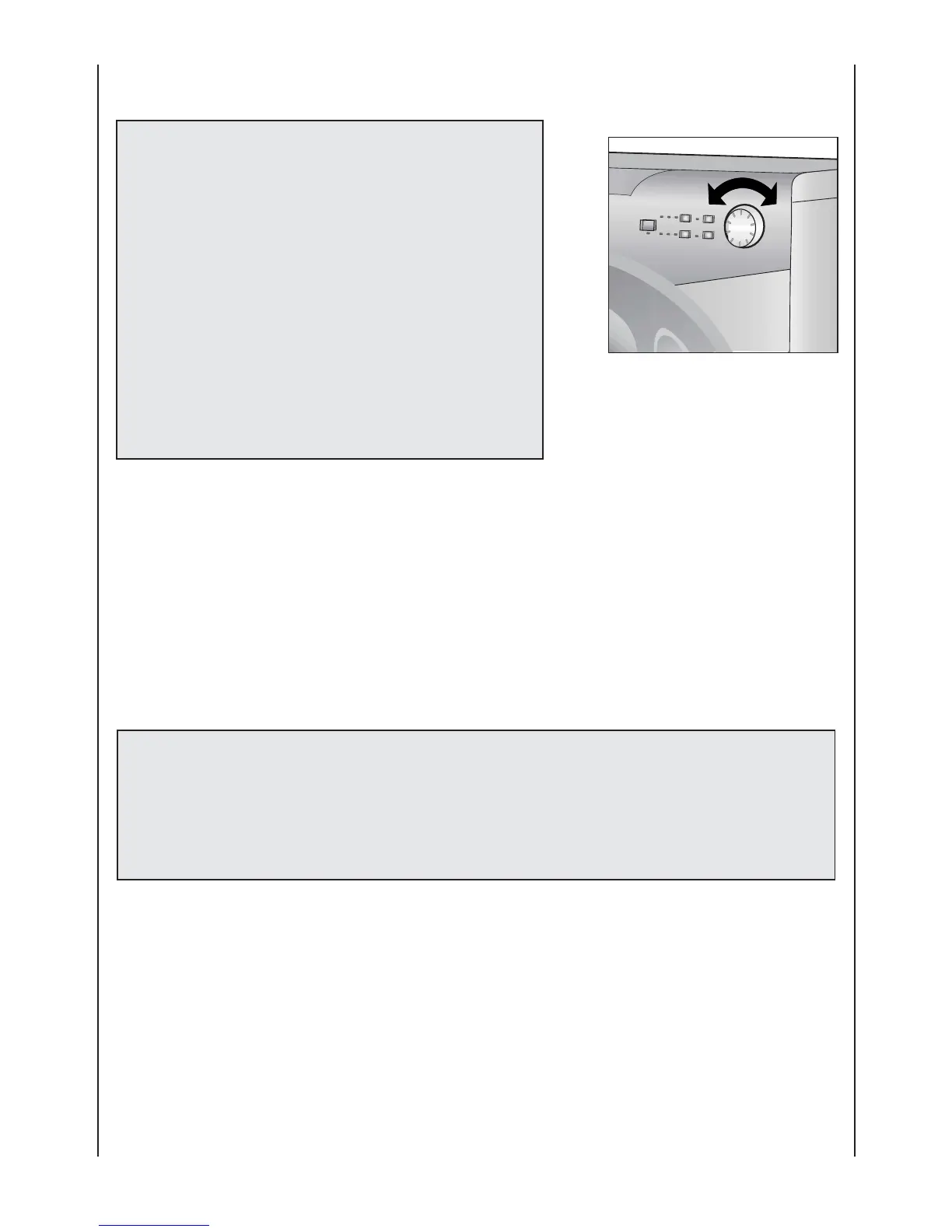
PROGRAMME selector with "OFF" position
ROTATES IN BOTH DIRECTIONS.
WHEN THE PROGRAMME
SELECTOR IS TURNED A SPIN
INDICATOR LIGHTS WILL GO
ON.
N.B. TO SWITCH OFF THE
MACHINE, TURN THE
PROGRAMME SELECTOR TO
THE OFF POSITION.
Press the "Start/Pause" button to start the selected cycle.
Once a programme is selected the programme selector remains stationary on the selected
programme till cycle ends.
Switch off the washing machine by turning the selector to "OFF".
Note:
The programme selector must be returned to the "OFF" position
at the end of each cycle or when starting a subsequent wash
cycle prior to the next programme being selected and started.
N
11









 To Next Page