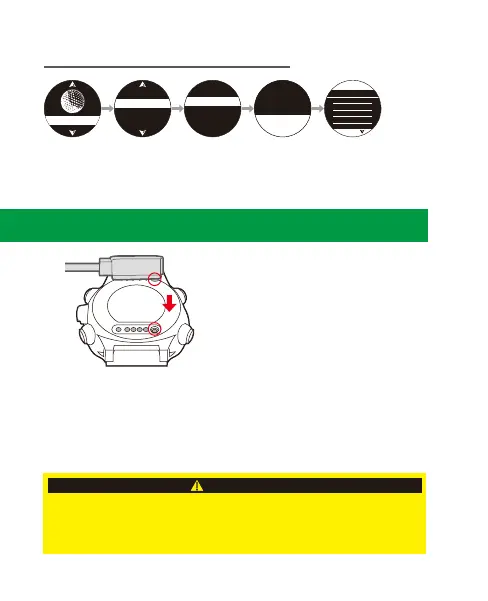
10. Charge the Watch
1. Attach the magnetic charger on the charging contact located at the bottom
of the watch. Be sure the pins are aligned. Keep the watch on a stable
surface while charging.
2. Insert the USB end of the charging cord into a computer USB port or CE/FCC
certified 5V output USB charger (exceeding 5V will void the warranty).
Battery/ Charging Information
Battery Specifications: 3.7V / 400mAh
Charging Specifications: 5V / 500mA
AVOID touching the magnetic end of the charging cable with metallic objects
to prevent short circuits and damage to the cable.
For safety reasons, after the watch is fully charged, disconnect the charging
cable from USB power source.
CAUTION
1. Press ④ to enter main menu.
2. Press ④ to enter [Golf].
3. Press ④ to select [Score History].
4. Press ③/⑤ to select a history record,
and press ④ to enter.
5. To return, press ②.
9-3 Golf Score History
Score History
Putts 0
GIR 0
Score 18 PAR 36
1 - 9
10 - 18
1 - 18
Score History
2018.01.15
2018.01.10
2018.01.03
2018.01.01
Score
1 - 18
S
0
0
0
0
0
P
4
3
4
4
3
H
1
2
3
4
5
ScordCard
Score History
Demo
Play Golf
GOLF
8.



 To Next Page