EasyManua.ls Logo

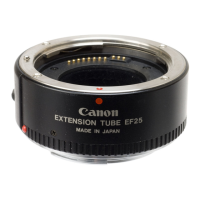
Canon EF 25 - Shooting Instructions and Tips; Technical Specifications

Canon EF 25
10 pages
Print Icon
To Next Page IconTo Next Page
To Previous Page IconTo Previous Page
Loading...
2.
Shooting
1)
Set
the
focus
mode
switch
on
the
lens
to
M
(manual).
2)
Set
the
desired
shooting
mode.
3)
Focus
the
subject
manually
by
turning
the
manual
focusing
ring
and
press
the
shutter
button
to
take
the
picture.
When
using
a
zoom
lens,
do
not
change
the
focal
length
after
focusing
the
subject.
An
aperture
value
of
f/2
stops
or
more
smaller
than
the
full
aperture
value
of
the
lens
in
use
is
recommended
for
better
picture
quality.
With
the
50
mm
f/1.8
set
an
exposure
compensation
value
of
+1
/2
stop
(+1/3
stop
with
the
EOS-1).
With
the
EF
85
mm
f/1,2L,
set
an
exposure
compensation
value
of
+1
stop.
Specifications
Mount:
Canon
EF
mount
(electronic
signal
transfer
system)
Usable
Cameras:
EOS
series
cameras
Dimensions
Size:
067.6
x
27.25
mm/2-11/16"
x
1-11/16"
Weight:
125
g/4.4
oz
All
data
are
based
on
Canon’s
Standard
Test
Method.
Subject
to
change
without
notice.

Related product manuals