EasyManua.ls Logo

Canon ELPH 2 - 2 Basic Operations

Canon ELPH 2
53 pages
Print Icon
To Next Page IconTo Next Page
To Previous Page IconTo Previous Page
Loading...
UJlU
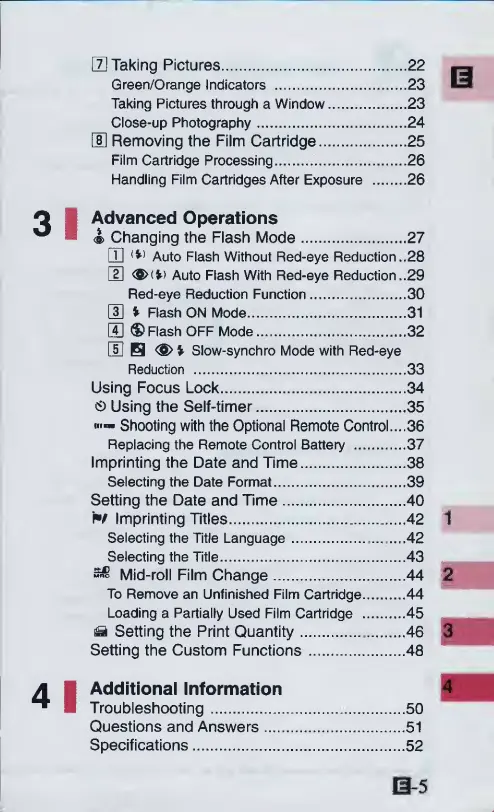
Taking
Pictures.22
Green/Orange
Indicators
.23
Taking
Pictures
through
a
Window.23
Close-up
Photography.24
E
Removing
the
Film
Cartridge.25
Film
Cartridge
Processing...26
Handling
Film
Cartridges
After
Exposure
.26
I
Advanced
Operations
<s>
Changing
the
Flash
Mode.27
DQ
<*>
Auto
Flash
Without
Red-eye
Reduction..28
E
<$>(*>
Auto
Flash
With
Red-eye
Reduction..29
Red-eye
Reduction
Function.
3
0
0
%
Flash
ON
Mode.31
GQ
®
Flash
OFF
Mode.32
E
H
<S>*
Slow-synchro
Mode
with
Red-eye
Reduction
.33
Using
Focus
Lock.34
CD
Using
the
Self-timer.35
Shooting
with
the
Optional
Remote
Control....36
Replacing
the
Remote
Control
Battery
.37
Imprinting
the
Date
and
Time.38
Selecting
the
Date
Format.39
Setting
the
Date
and
Time.40
N
Imprinting
Titles.42
Selecting
the
Title
Language.....42
Selecting
the
Title.43
Mid-roll
Film
Change.44
To
Remove
an
Unfinished
Film
Cartridge.44
Loading
a
Partially
Used
Film
Cartridge
.45
^
Setting
the
Print
Quantity.46
Setting
the
Custom
Functions.48
I
Additional
Information
Troubleshooting.50
Questions
and
Answers.51
Specifications.52

Other manuals for Canon ELPH 2

Related product manuals