224
Set the camera so it can record the live image displayed on the LCD
monitor as a movie. To shoot still photos, see page 203.
1
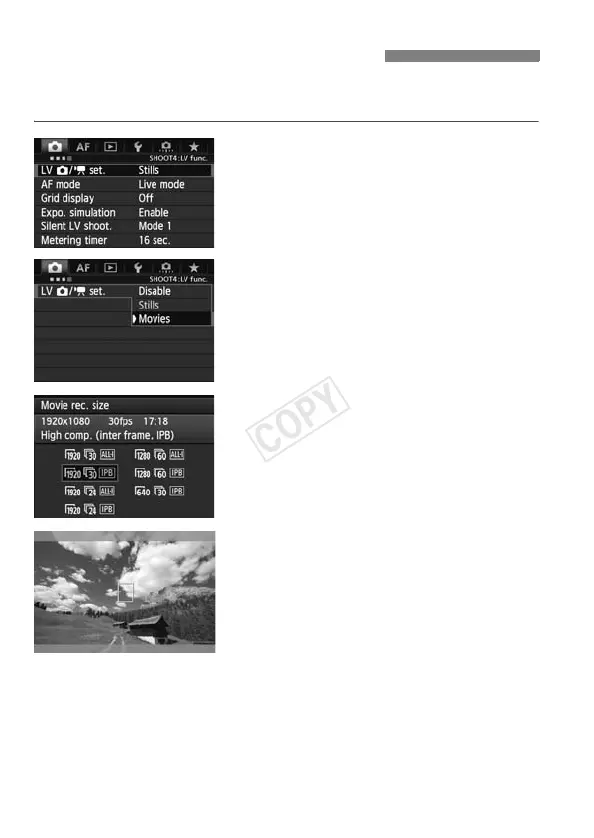
Select [LV z/k set.].
Under the [z4] tab, select [LV z/
k set.], then press <0>.
“LV” stands for Live View.
2
Select [Movies].
Turn the <5> dial to select [Movies],
then press <0>.
3
Set [Movie rec. size].
For details on [Movie rec. size], see
page 237.
4
Display the image.
Press the <A> button.
X The image will appear on the LCD
monitor.
A semi-transparent mask will appear
on the top/bottom or right/left. The
image area surrounded by the
masking will be recorded as the
movie.
In the <a> shooting mode, turn the
<6> or <5> dial to adjust the
brightness.
k Preparing to Shoot Movies



 To Next Page
 Loading...











