89
4
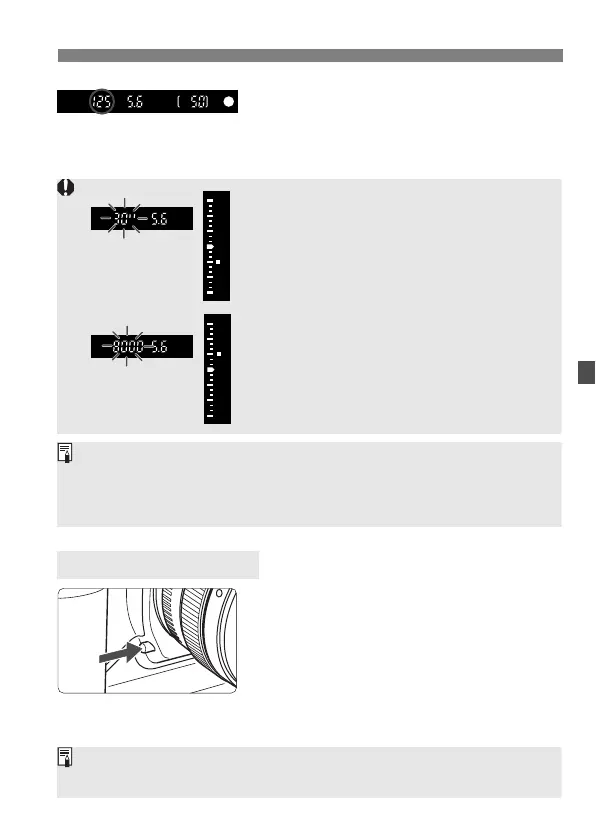
Check the viewfinder display and
shoot.
¡As long as the shutter speed is not
blinking, the exposure will be correct.
Press the depth-of-field preview button to
stop down the aperture and see the
range of acceptable focus in the
viewfinder.
Depth-of-field Preview
¡ If the “30"” shutter speed blinks, it indicates
underexposure. Turn the <
6> dial to set a
larger aperture (smaller f/number) until the
shutter speed stops blinking. Or increase
the ISO speed.
¡ If the “
8000” shutter speed blinks, it indicates
overexposure. Turn the <
6> dial to set a
smaller aperture (larger f/number) until the
aperture stops blinking. Or decrease the
ISO speed.
Aperture Value Display
The larger the f/number, the smaller the aperture opening will be. The
aperture values displayed will differ depending on the lens. If no lens is
attached to the camera, “
00” will be displayed for the aperture value.
The exposure will be locked (AE lock) while you press the depth-of-field
preview button.



 To Next Page
 Loading...










