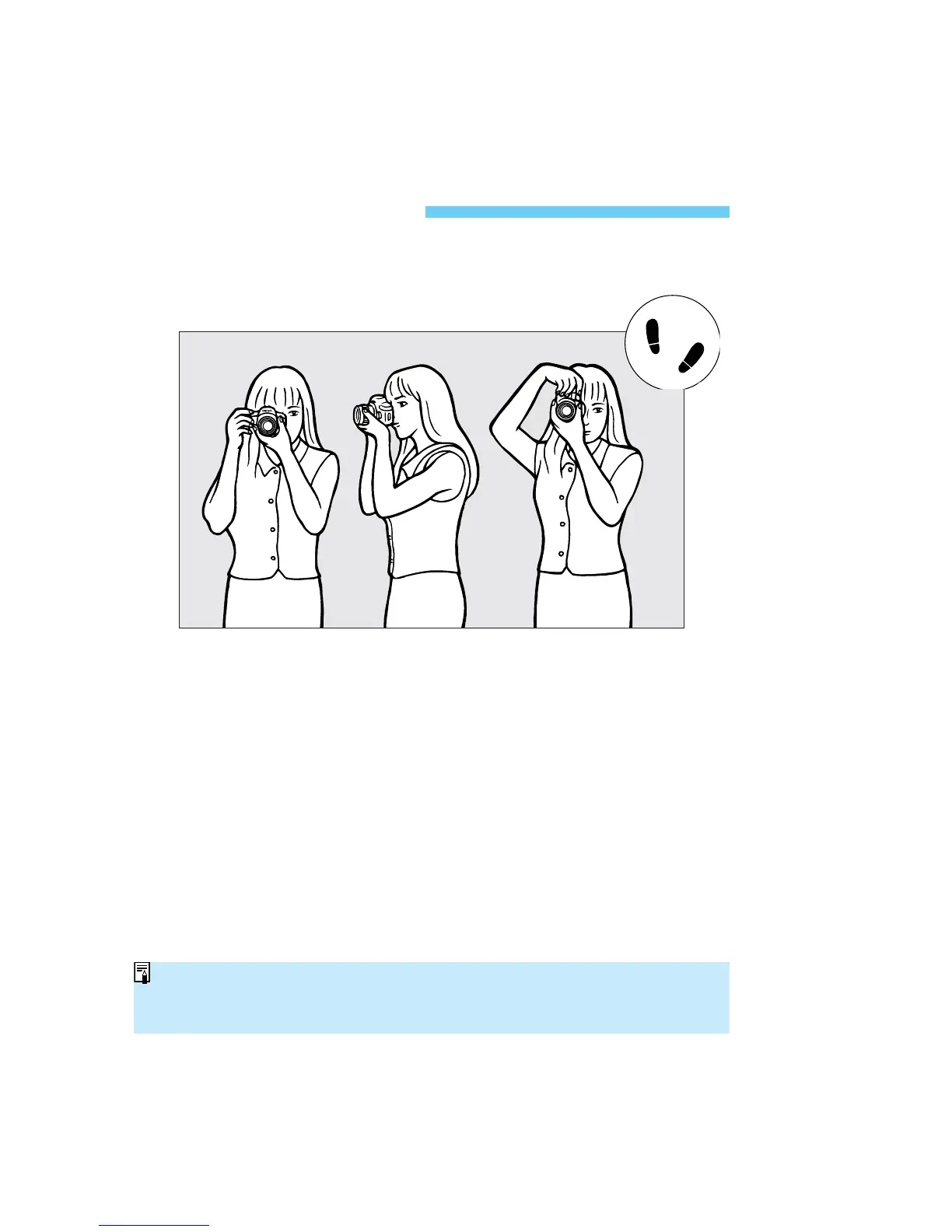
To obtain sharp pictures, hold the camera still to minimize camera shake.
Horizontal shooting Vertical shooting
• Firmly grasp the camera grip with your right hand, and press your right
elbow lightly against your body.
• Hold the lens at the bottom with your left hand.
• Press the camera against your face and look through the viewfinder.
• To maintain a stable stance, place one foot in front of the other instead of
lining up both feet.
32
Holding the Camera
The camera can automatically sense whether it is in the horizontal or vertical
position. The camera’s internal detector will make a small sound when detecting
the horizontal or vertical position.
SEC.02 P029-032 (E) 28-01-2003 10:29 Pagina 32



 To Next Page
 Loading...









