98
Custom Function Settings
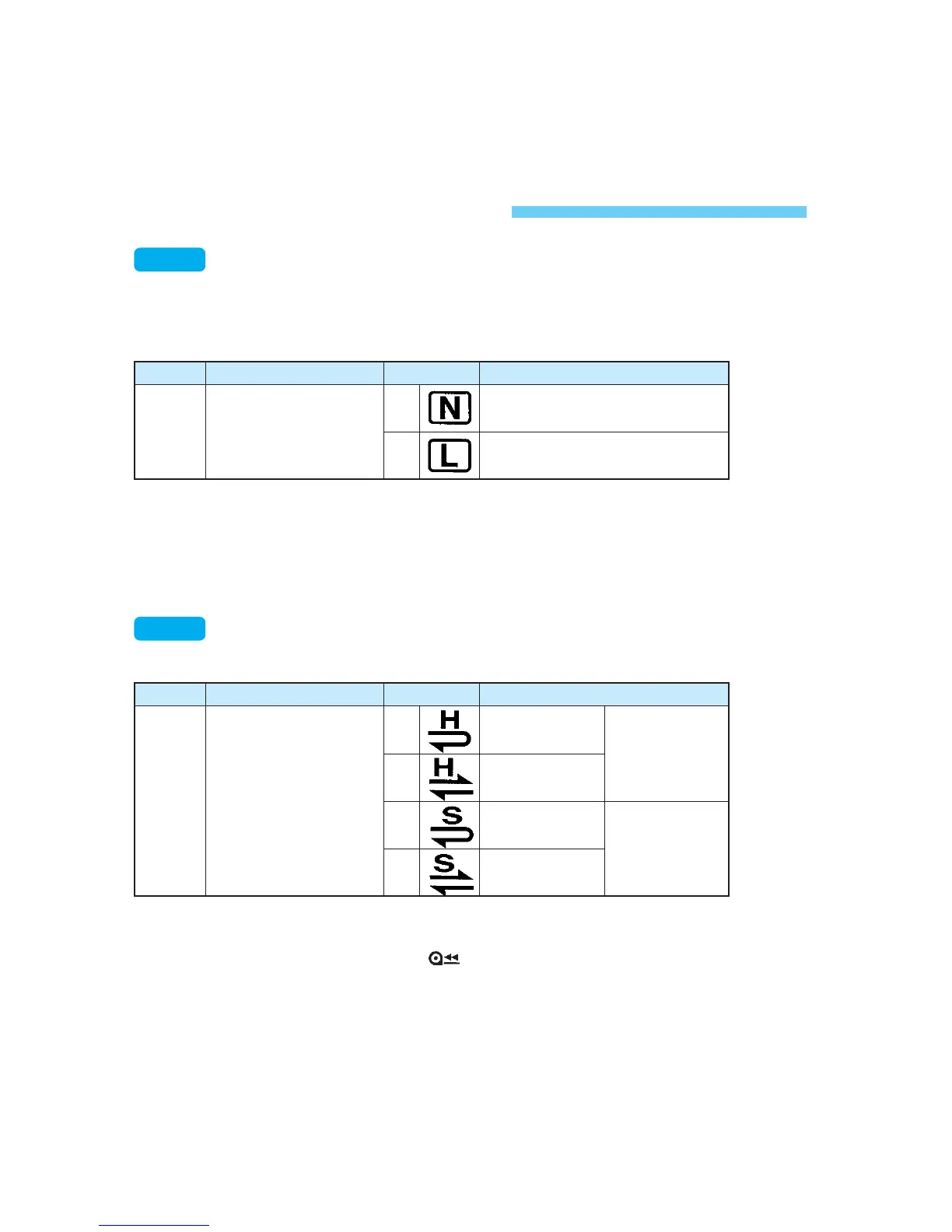
Focusing screen characteristics
This makes the camera’s built-in exposure meter compatible with the
focusing screen characteristics. Be sure to set this Custom Function to suit
the focusing screen installed in the camera. (
→p.127)
C.Fn-0-0: For New Laser-matte screens.
C.Fn-0-1: For Laser-matte screens.
Since the EOS-1V’s standard focusing screen is the Ec-CIII,
C.Fn-0-1 is already set upon factory shipment.
C.Fn
C.Fn-0
Function
Focusing screen
characteristics
No.
0
1
For Ec-N, Ec-R
For Ec-A, B, C, CII, CIII, D, H, I, L
Description
C.Fn-0
Auto film rewind mode
You can disable auto film rewind or make it silent.
C.Fn-1-1/3
: Disables automatic film rewind. This is effective when you do
not want film rewind to start on its own and make a sudden
disturbance.
Press the < > button to rewind. (→p.28)
C.Fn-1-2
: This makes the automatic film rewind more silent.
C.Fn
C.Fn-1
Function
Auto film rewind
mode
No.
0
1
2
3
Enabled
Disabled
Enabled
Disabled
High-speed
rewind
Silent rewind
Description
C.Fn-1
SEC.07 P095-114 (E) 29-01-2003 12:29 Pagina 98



 To Next Page
 Loading...









