EasyManua.ls Logo

Canon Fax - User Manual

Canon Fax
7 pages
Print Icon
To Next Page IconTo Next Page
Loading...
2007
Fax
Question and Answer IconNeed help?

Do you have a question about the Canon Fax and is the answer not in the manual?

Summary

Fax Terms and Technology

Modem Speed

Explains modem speed for faster fax transmission and cost savings.

Memory Functionality

Describes fax storage in memory for saving faxes when paper or ink runs out.

One-Touch and Speed Dialing

Allows sending faxes with a single keystroke for frequently dialed numbers.

Delayed Transmission

Enables sending faxes later during low-rate call hours to save costs.

Error Correction Mode

Ensures clear faxes even on poor telephone lines.

Department ID Management

Restricts fax use for cost control and security.

Ink;Toner Saver Mode

Saves ink/toner to reduce running costs.

UHQ Imaging Technology

Canon's technology for clear faxing of graphics and photos with 256 shades of grey.

Inkjet Fax Models

Canon FAX-JX500

Affordable Super G3 inkjet fax with built-in digital answering machine, high performance.

Canon FAX-JX200

Affordable, compact inkjet fax with FINE cartridge technology for high-speed, high quality printing.

Laser Fax Models

Canon FAX-L2000

Heavy-duty laser fax for busy offices with large capacity, storage memory, and 18 ppm print speed.

Canon i-SENSYS FAX-L390

Productive laser fax with Super G3 modem, large memory, and ADF for heavy duty use.

Canon i-SENSYS FAX-L3805

High speed, high quality laser fax with Departmental ID Management for cost control and security.

Canon FAX-L400

Ideal for small to medium offices; includes fax, laser printer, and flatbed copier function.

Specific i-SENSYS Laser Fax Models

Canon i-SENSYS FAX-L120

Laser fax for home offices and small businesses needing speed, reliability, and ease-of-use.

Canon i-SENSYS FAX-L100

Affordable laser fax for busy medium and small offices, offering rapid and UHQ transmission.

Symbol Guide and Technology Features

AXIS Network Print Adaptor

Allows direct connection to a network for multi-user printing and faxing.

On-Demand Fixing Technology

Quick start-up and negligible energy use for efficient operation.

USB Connectivity

Enables direct connection for data transfer and device control.

Energy Star Compliance

Meets Energy Star requirements for energy efficiency.

Recyclable Cartridges

Canon's commitment to environmental conservation through cartridge recycling.

Super G3 Modem

Provides the fastest analogue transmission speed for quick faxing.

UHQ 256 Greyscale

Ensures exceptional image quality with detailed photos and diagrams.

FINE Print Technology

Utilizes advanced nozzle engineering for precise and high-quality printing.

Inkjet Fax Specifications Chart

Laser Fax Specifications Chart

Laser Fax Specifications (Continued)

Service Support Information

Summary

Fax Terms and Technology

Modem Speed

Explains modem speed for faster fax transmission and cost savings.

Memory Functionality

Describes fax storage in memory for saving faxes when paper or ink runs out.

One-Touch and Speed Dialing

Allows sending faxes with a single keystroke for frequently dialed numbers.

Delayed Transmission

Enables sending faxes later during low-rate call hours to save costs.

Error Correction Mode

Ensures clear faxes even on poor telephone lines.

Department ID Management

Restricts fax use for cost control and security.

Ink;Toner Saver Mode

Saves ink/toner to reduce running costs.

UHQ Imaging Technology

Canon's technology for clear faxing of graphics and photos with 256 shades of grey.

Inkjet Fax Models

Canon FAX-JX500

Affordable Super G3 inkjet fax with built-in digital answering machine, high performance.

Canon FAX-JX200

Affordable, compact inkjet fax with FINE cartridge technology for high-speed, high quality printing.

Laser Fax Models

Canon FAX-L2000

Heavy-duty laser fax for busy offices with large capacity, storage memory, and 18 ppm print speed.

Canon i-SENSYS FAX-L390

Productive laser fax with Super G3 modem, large memory, and ADF for heavy duty use.

Canon i-SENSYS FAX-L3805

High speed, high quality laser fax with Departmental ID Management for cost control and security.

Canon FAX-L400

Ideal for small to medium offices; includes fax, laser printer, and flatbed copier function.

Specific i-SENSYS Laser Fax Models

Canon i-SENSYS FAX-L120

Laser fax for home offices and small businesses needing speed, reliability, and ease-of-use.

Canon i-SENSYS FAX-L100

Affordable laser fax for busy medium and small offices, offering rapid and UHQ transmission.

Symbol Guide and Technology Features

AXIS Network Print Adaptor

Allows direct connection to a network for multi-user printing and faxing.

On-Demand Fixing Technology

Quick start-up and negligible energy use for efficient operation.

USB Connectivity

Enables direct connection for data transfer and device control.

Energy Star Compliance

Meets Energy Star requirements for energy efficiency.

Recyclable Cartridges

Canon's commitment to environmental conservation through cartridge recycling.

Super G3 Modem

Provides the fastest analogue transmission speed for quick faxing.

UHQ 256 Greyscale

Ensures exceptional image quality with detailed photos and diagrams.

FINE Print Technology

Utilizes advanced nozzle engineering for precise and high-quality printing.

Inkjet Fax Specifications Chart

Laser Fax Specifications Chart

Laser Fax Specifications (Continued)

Service Support Information

Overview

This document describes a range of Canon fax machines, encompassing both inkjet and laser technologies, designed for various office environments from home offices to large businesses. The devices offer a blend of functionality, performance, and ease of use, with a focus on high-quality transmission and cost efficiency.

Function Description:

Canon fax machines are primarily designed for transmitting and receiving documents over telephone lines. They offer a comprehensive suite of features to enhance communication, document management, and cost control. Beyond basic faxing, many models integrate printing and copying capabilities, transforming them into versatile all-in-one office devices.

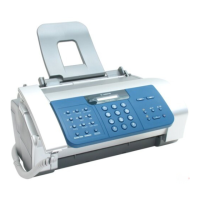
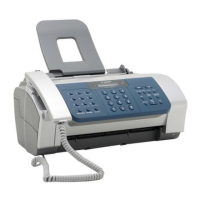
Inkjet Faxes (FAX-JX500, FAX-JX200): These models are characterized by their compact design and affordability, making them suitable for home offices and small businesses. They leverage Canon's FINE (Full-photolithography Inkjet Nozzle Engineering) technology for high-speed, high-quality printing and faxing. A key feature is the built-in digital answering machine, which adds convenience by allowing users to receive voice messages alongside faxes. The FAX-JX500, with its higher specifications, offers faster transmission and larger memory, while the FAX-JX200 provides essential faxing capabilities in a budget-friendly package. Both models include a copy function, enabling them to serve as basic copiers.

Laser Faxes (FAX-L2000, i-SENSYS FAX-L390, i-SENSYS FAX-L380S, FAX-L400, i-SENSYS FAX-L120, i-SENSYS FAX-L100): These machines are built for higher volume usage, offering robust performance, faster print speeds, and larger paper capacities, making them ideal for medium to large offices. Laser technology ensures sharp, professional-quality documents for both faxing and printing. Many laser models, such as the FAX-L400, i-SENSYS FAX-L390, and i-SENSYS FAX-L380S, integrate laser printing and flatbed copying functions, providing a complete office solution. The i-SENSYS series emphasizes productivity and cost control through features like Department ID Management. The FAX-L2000 stands out as a heavy-duty option with exceptional paper capacity and print speed.

Important Technical Specifications:

Modem Speed:

  • Super G3 (33.6 Kbps): Featured in FAX-JX500, FAX-L2000, i-SENSYS FAX-L390, i-SENSYS FAX-L380S, FAX-L400, i-SENSYS FAX-L120, i-SENSYS FAX-L100. This allows for ultra-fast transmission, typically around 3 seconds per page (based on ITU-T Standard Chart No.1), significantly reducing communication costs.
  • 14.4 Kbps: Found in FAX-JX200, offering transmission speeds of approximately 6 seconds per page.

Fax Memory:

  • Inkjet Models: FAX-JX500 offers approximately 120 pages, while FAX-JX200 provides around 60 pages. This memory is crucial for storing incoming faxes when paper or ink runs out, ensuring no missed faxes.
  • Laser Models: High-capacity memory is a hallmark of laser faxes. FAX-L2000, i-SENSYS FAX-L390, and i-SENSYS FAX-L380S boast 510 pages (8MB) of memory. FAX-L400 has 250 pages, and i-SENSYS FAX-L120/L100 offer 340 pages. Memory backup is available on many laser models (e.g., 1 hour for 510-page models).

Automatic Document Feeder (ADF):

  • Inkjet Models: Both FAX-JX500 and FAX-JX200 feature a 20-sheet ADF.
  • Laser Models: Capacities vary, from 70 sheets (FAX-L2000) to 50 sheets (i-SENSYS FAX-L390, i-SENSYS FAX-L380S, FAX-L400) and 30 sheets (i-SENSYS FAX-L120, i-SENSYS FAX-L100). A larger ADF is beneficial for sending multi-page documents efficiently.

Paper Capacity:

  • Inkjet Models: Both FAX-JX500 and FAX-JX200 have a 100-sheet auto sheet feeder.
  • Laser Models: Capacities range from 150 sheets (i-SENSYS FAX-L120, i-SENSYS FAX-L100) to 250 sheets (FAX-L400, i-SENSYS FAX-L380S) and up to 500 sheets (i-SENSYS FAX-L390) or even 2 x 250 sheets (FAX-L2000) for heavy-duty use.
  • Inkjet Models: FAX-JX500 and FAX-JX200 print at 6 pages per minute (ppm).
  • Laser Models: Significantly faster, with speeds of 12 ppm (i-SENSYS FAX-L120, i-SENSYS FAX-L100), 14 ppm (FAX-L400), and 18 ppm (FAX-L2000, i-SENSYS FAX-L390, i-SENSYS FAX-L380S).
  • Inkjet Models: 600 x 600 dpi.
  • Laser Models: Typically 600 x 600 dpi, with some offering enhanced resolutions up to 1200 x 1200 dpi (FAX-L2000) or 1200 x 600 dpi enhanced (FAX-L400, i-SENSYS FAX-L390, i-SENSYS FAX-L380S).

Fax Resolution: All models support Standard, Fine, and Superfine resolutions. Many also offer Ultrafine (16 pels x 15.4 lines/mm) for maximum detail, particularly in laser models.

Image Processing System: Canon's UHQ (Ultra High Quality) imaging technology is standard across all models, supporting 256 shades of grey for clear reproduction of graphics and photos.

Connectivity:

  • USB: Most models offer USB connectivity for PC printing.
  • Network (Optional): Laser models like FAX-L2000, i-SENSYS FAX-L390, i-SENSYS FAX-L380S, and FAX-L400 can be connected to a network via an optional AXIS 1650 Print Server, enabling multi-user network printing and faxing.

Usage Features:

Ease of Use:

  • One-touch/Speed Dialing: Allows users to send faxes to frequently dialed destinations with a single keystroke. The number of one-touch and coded dial locations varies by model, with some offering up to 72 one-touch keys and 169 coded dials (FAX-L2000).
  • Dual Access: Available on most laser models, this feature allows users to send and receive faxes simultaneously, improving workflow efficiency.
  • Delayed Transmission: Enables scheduling faxes for later transmission, often during off-peak hours to save on call costs.
  • Sequential Broadcast: Allows sending the same fax message to multiple destinations.
  • Polling: Enables a fax machine to call another fax machine to retrieve stored faxes (RX only on inkjet models, Memory on laser models).
  • Fax/Tel. Auto Switch: Automatically switches between fax and telephone modes, available on most models.
  • Answering Machine Hook-up: Allows connection to an external answering machine (inkjet models have a built-in digital answering machine).

Cost Control and Security:

  • Ink/Toner Saver Mode: Reduces ink or toner consumption, lowering running costs.
  • Department ID Management: Available on i-SENSYS laser models (FAX-L390, FAX-L380S), this feature restricts fax usage to authorized personnel, enhancing security and controlling costs.
  • Direct Mail Preventative Function: Featured in inkjet models (FAX-JX500, FAX-JX200), this function helps stop unwanted faxes, saving ink and paper.
  • Error Correction Mode (ECM): Ensures clear transmission and reception, even on poor telephone lines.
  • Password User Restriction: Available on some laser models (FAX-L400, i-SENSYS FAX-L120, i-SENSYS FAX-L100) for enhanced security.

Copy Functionality:

  • Copy Speed: Varies by model, matching print speeds for integrated printer/copier functions (e.g., 18 ppm for FAX-L2000).
  • Multiple Copy: Up to 99 copies on most models.
  • Reduction/Enlargement: Available on many laser models with preset ratios (e.g., 50%-200% on FAX-L400, i-SENSYS FAX-L390, i-SENSYS FAX-L380S).

Maintenance Features:

All-in-One Cartridge System (Laser Models): Canon's unique All-in-One cartridge system, found in all laser printing products, simplifies maintenance. The cartridge contains toner and all essential parts, meaning that replacing it effectively makes the machine "as good as new." This system is designed for cleanliness, ease of replacement, and consistent high-quality output, eliminating mess and hassle. The cartridges are also recyclable as part of Canon's worldwide recycling program, contributing to environmental sustainability.

FINE Cartridge System (Inkjet Models): Inkjet models use FINE cartridges (PG-40 or PG-50 black cartridges for FAX-JX500/JX200). These cartridges are designed for high-speed and high-quality printing.

Toner/Ink Saver Mode: This feature, available on all models, helps extend the life of cartridges by reducing consumption, thereby lowering maintenance frequency and costs.

Memory Backup: Laser models with larger memory (e.g., 510 pages) often include memory backup (e.g., 1 hour), ensuring that faxes are not lost during power outages.

Reports: Various reports (Activity, Transmission, Reception, Multi TX/RX, Error, Memory Data, Speed Dial List, etc.) are available to monitor usage, track transmissions, and assist with troubleshooting and management.

On-Demand Fixing Technology (Laser Models): This technology ensures that the fuser unit heats up only when needed, reducing warm-up time and energy consumption, which contributes to the longevity of components.

Service Support: Canon offers comprehensive after-sales service, including professional customer service advisors available via helpline and qualified technicians for repairs. The company emphasizes the use of genuine spare parts and components to ensure high product performance and protect warranties.

Canon Fax Specifications

General IconGeneral
BrandCanon
ModelFax
CategoryFax Machine
LanguageEnglish

Videos

How to open Laser Unit of Canon Fax L 100

How to Send a Fax with Your Canon MFP

Related product manuals