Connecting to the Computer
Computer connection via the USB is now complete.
2
USB Connection
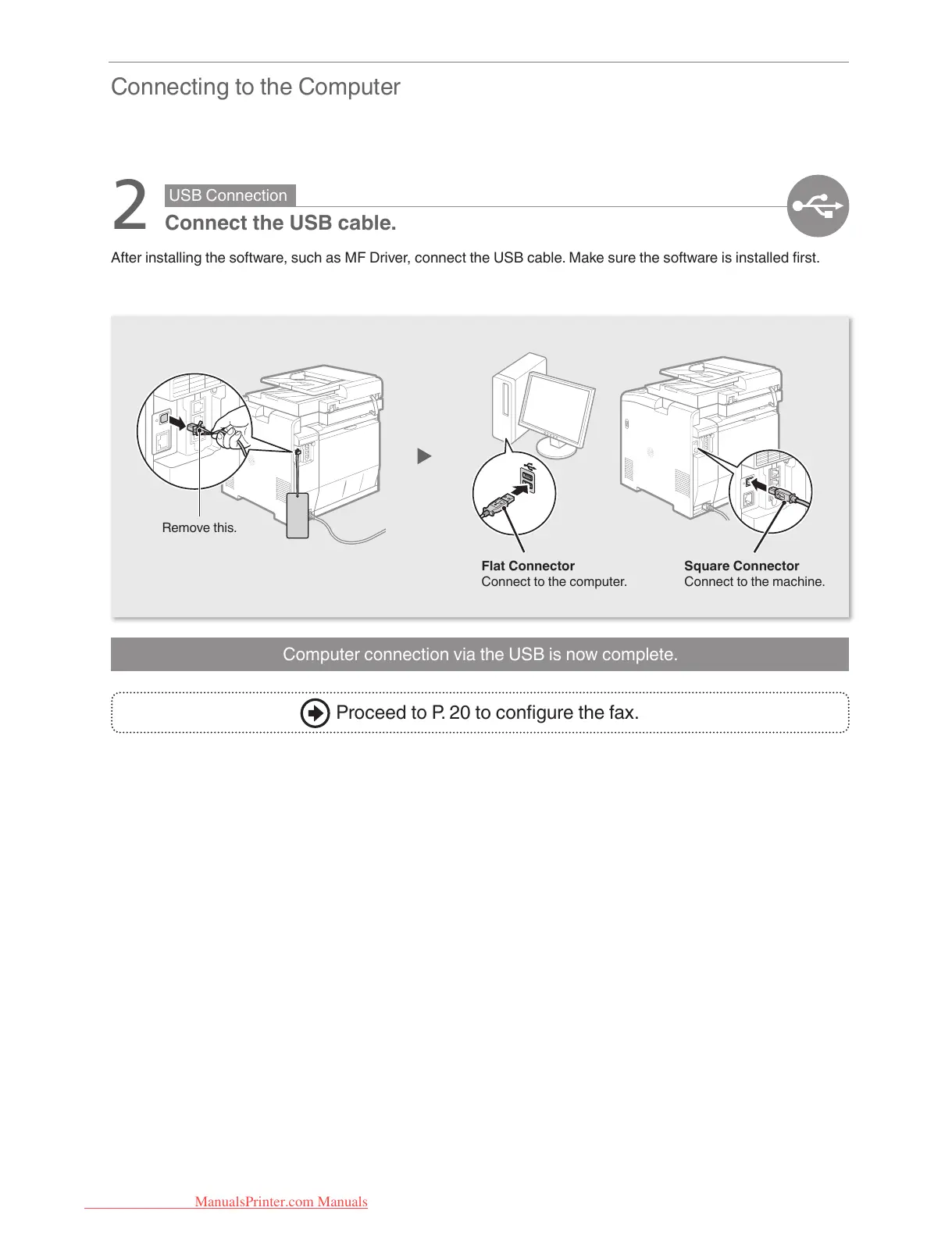
Connect the USB cable.
After installing the software, such as MF Driver, connect the USB cable. Make sure the software is installed rst.
Proceed to P. 20 to congure the fax.
Remove this.
Flat Connector
Connect to the computer.
Square Connector
Connect to the machine.
ManualsPrinter.com Manuals





 To Next Page