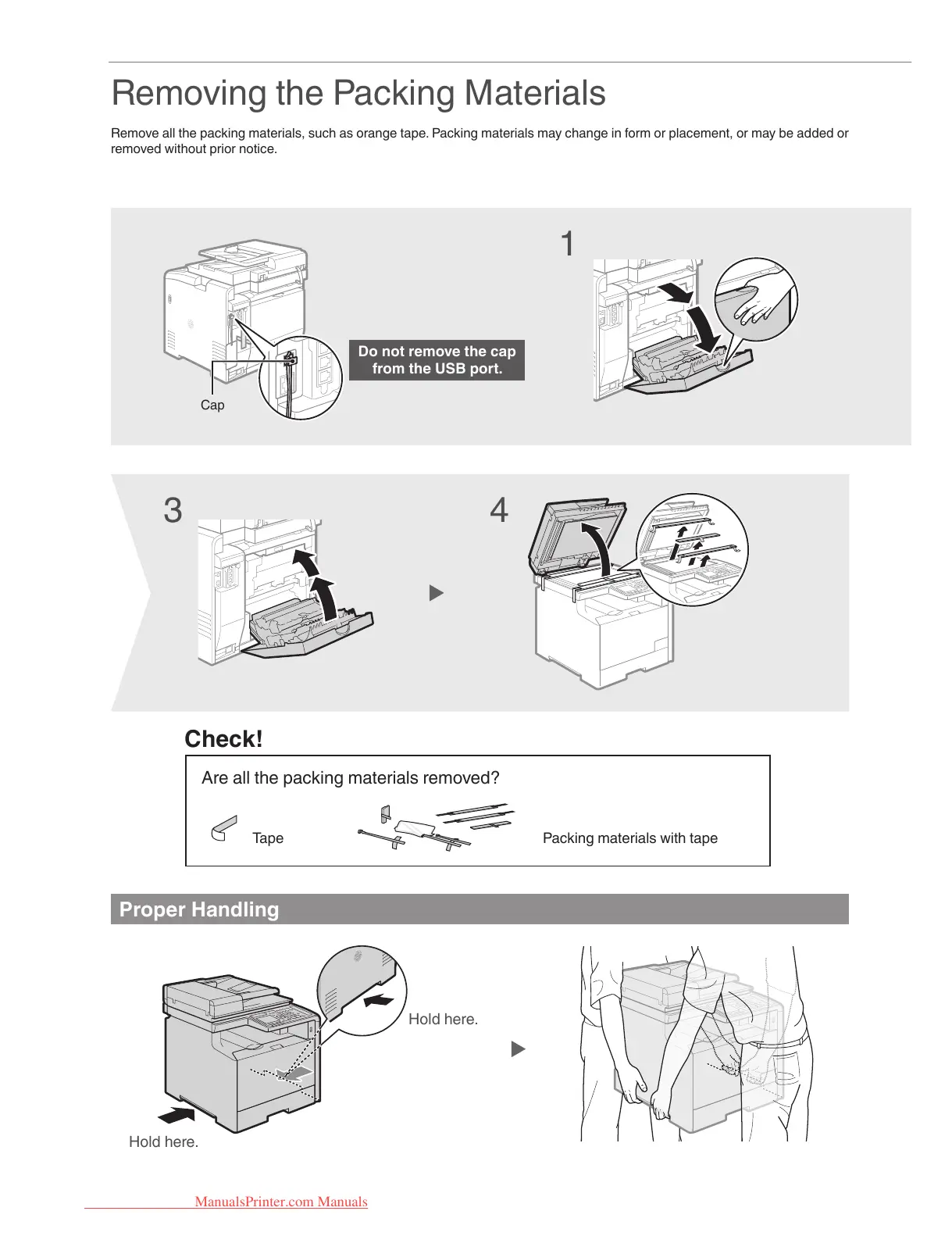
Removing the Packing Materials
Remove all the packing materials, such as orange tape. Packing materials may change in form or placement, or may be added or
removed without prior notice.
Proper Handling
1
3
Check!
Are all the packing materials removed?
43
Do not remove the cap
from the USB port.
Packing materials with tapeTape
Cap
Hold here.
Hold here.
ManualsPrinter.com Manuals





 To Next Page