2
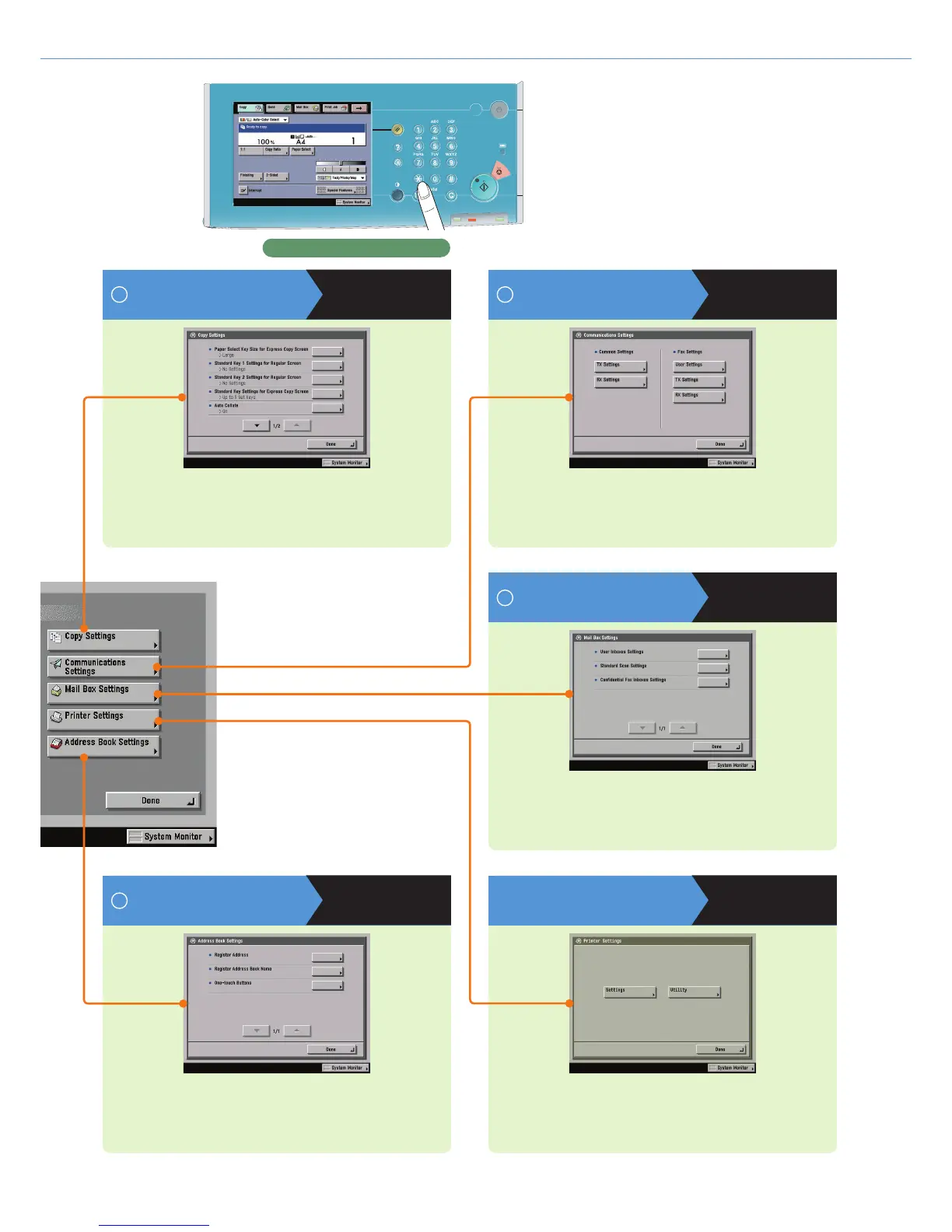
Additional Functions
Printer Settings
See PS/PCL/UFR II Printer
Guide
For more information, see the PS/PCL/UFR II Printer Guide.
Communications Settings
Press to register or edit the default Communications Settings
according to your needs.
Control Panel
Copy Settings
Press to edit settings for the Copy function.
See p. 15
Mail Box Settings
Press to edit settings for the Mail Box function.
See p. 23
Address Book Settings
Press to register or edit settings for the Address Book or one-touch
buttons.
See p. 24
See p. 16
6
9
7
8


 To Next Page