36
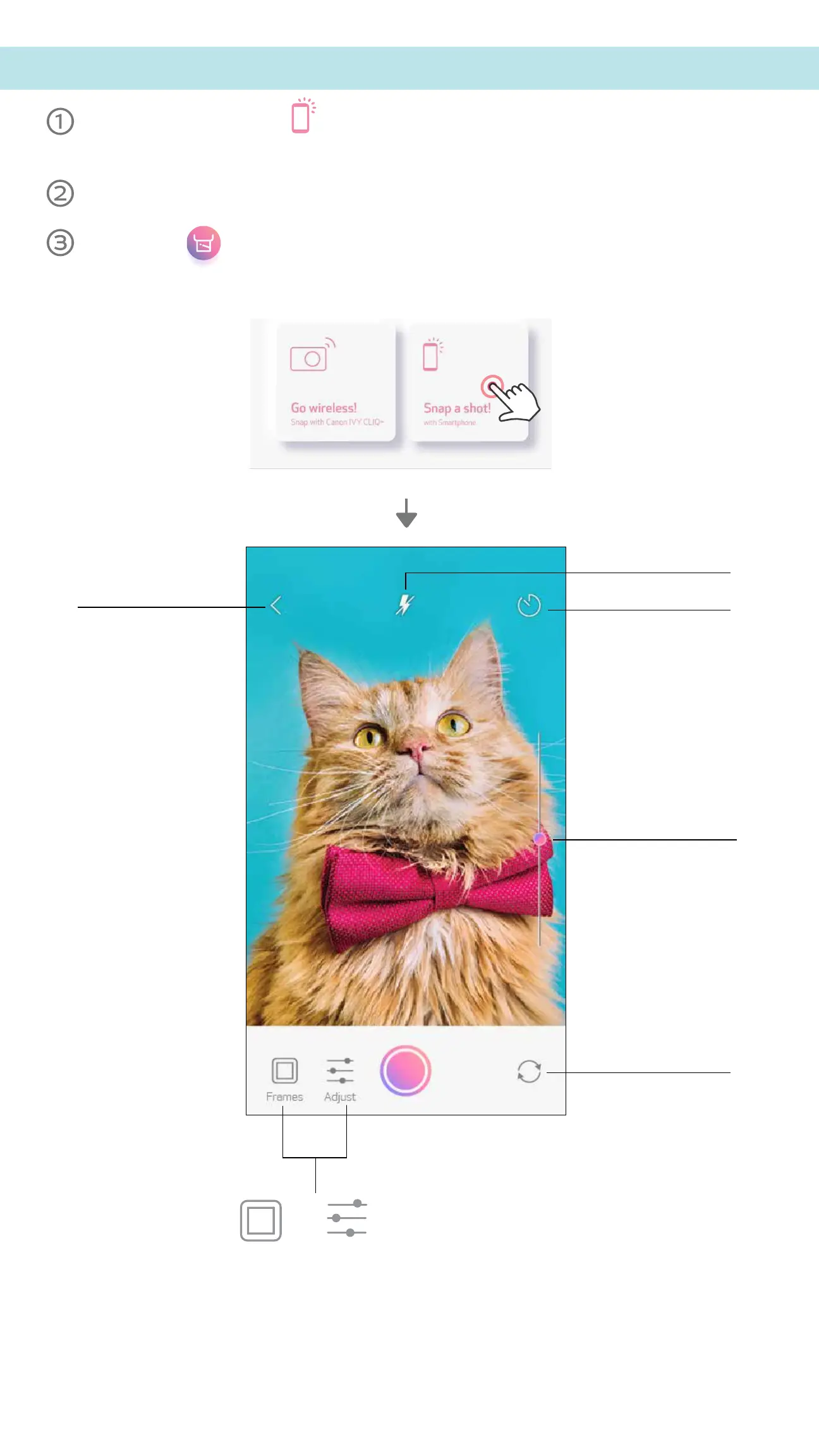
On the Home Screen, tap to take a photo with your smartphone camera.
(Optional, tap on the icons at the bottom to take a photo with effects.)
Once you’ve taken a photo, you can Print, Edit, Share, or Save.
To print, tap .
SMARTPHONE CAMERA
Back
Timer
Brightness bar
Front / Rear Camera
Flash
Adjust
Frames



 To Next Page
 Loading...