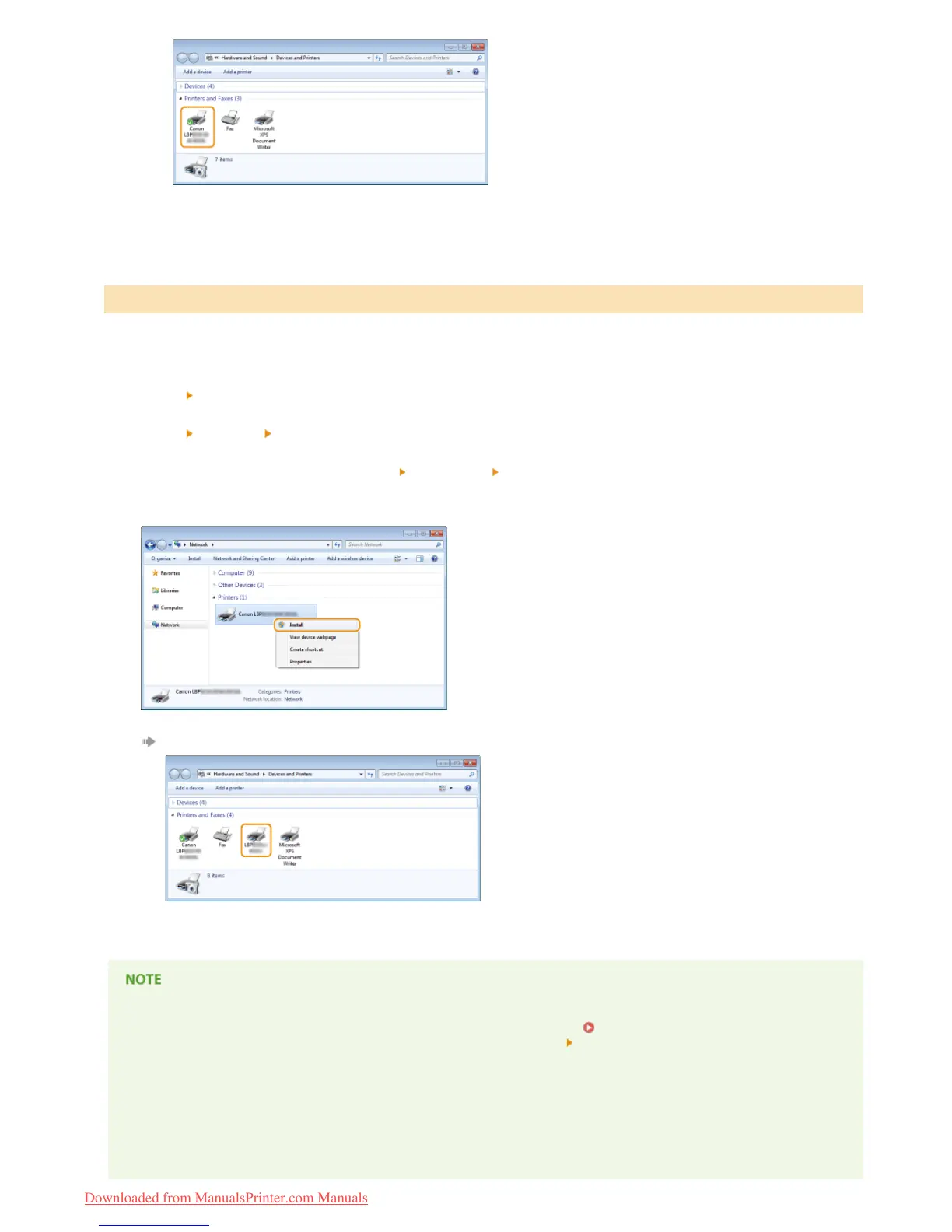
Open the network folder.
Windows Vista/Server 2008
[Start]
select [Network].
Windows 7/Server 2008 R2
[Start]
[Computer] select [Network].
Windows 8/Server 2012
Right-click the lower-left corner of the screen
[File Explorer] select [Network].
Right-click the newly added printer icon, and click [Install].
Installation for using WSD is complete when an icon for the printer is added to the printer folder.
Deleting Unneeded Printer Icons
When you have finished installing the network printer, the icon added in step 13 of Installing a Printer Driver is no longer
needed. To delete the icon, right-click it and select [Remove device] or [Delete]
click [Yes].
Adding a Network Printer
1
2
㻞㻜㻌㻛㻌㻡㻟
Downloaded from ManualsPrinter.com Manuals













 To Next Page