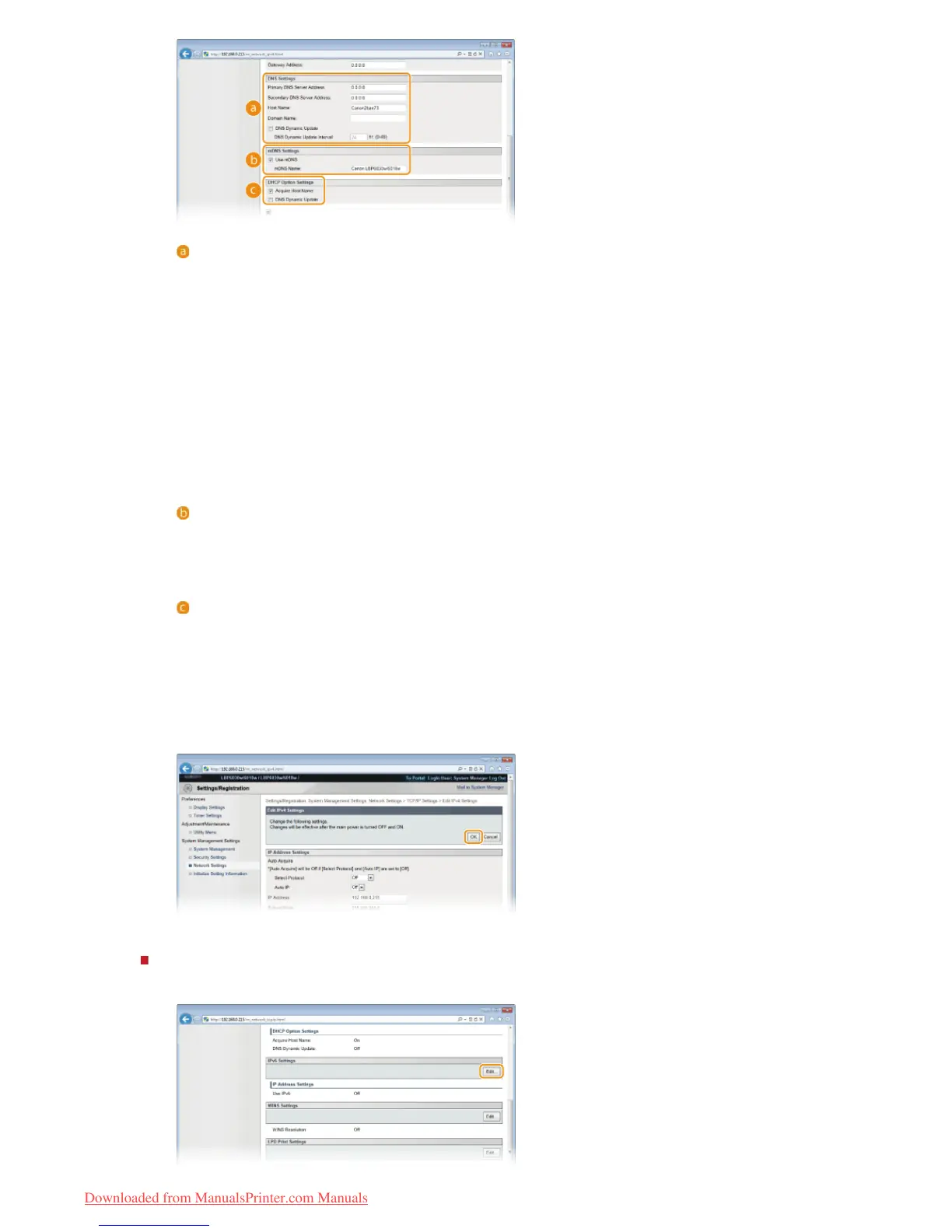
[DNS Settings]
[Primary DNS Server Address]
Enter the IP address of the DNS server.
[Secondary DNS Server Address]
When there is a secondary DNS server, enter its IP address.
[Host Name]
Enter up to 47 alphanumeric characters for the host name of the machine that is to be registered with the DNS server.
[Domain Name]
Enter up to 47 alphanumeric characters for the name of the domain the machine belongs to (such as "example.com").
[DNS Dynamic Update]
Select the check box to automatically update the DNS records whenever the association between the machine's IP
address and its host name changes (for example, in a DHCP environment). To specify the interval between updates,
enter the time in hours in the [DNS Dynamic Update Interval] text box. Clear the check box if you do not want to use
dynamic updating.
[mDNS Settings]
[Use mDNS]
Adopted by services such as Bonjour, mDNS (multicast DNS) is a protocol for associating a host name with an IP
address without using DNS. Select the check box to enable mDNS and enter the mDNS name in the [mDNS Name] text
box. Clear the check box if you do not want to use mDNS.
[DHCP Option Settings]
[Acquire Host Name]
Select the check box to enable Option 12 to obtain the host name from the DHCP server. Clear the check box if you do
not want to use this function.
[DNS Dynamic Update]
Select the check box to enable Option 81 to dynamically update the DNS records through the DHCP server instead of
through this machine. Clear the check box if you do not want to use this function.
3
Click [OK].
Configuring IPv6 DNS settings
1
Click [Edit] in [IPv6 Settings].
㻤㻡㻌㻛㻌㻞㻝㻥
Downloaded from ManualsPrinter.com Manuals













 To Next Page