>
Printing from a Computer
>
Printing with the Bundled Application Software
>
Correcting and
Enhancing Photos
> Correct/Enhance Images Window
A068
Correct/Enhance Images Window
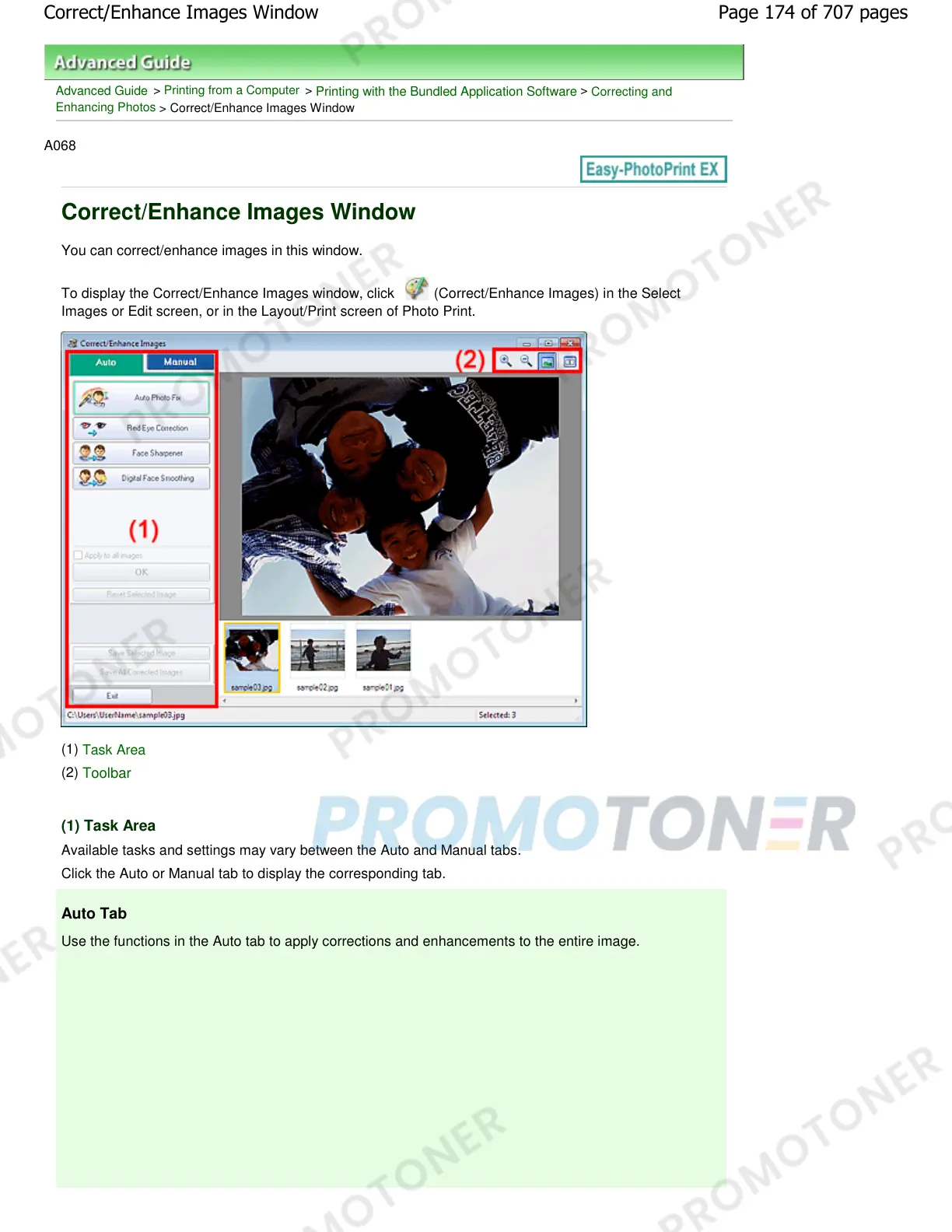
You can correct/enhance images in this window.
To display the Correct/Enhance Images window, click (Correct/Enhance Images) in the Select
Images or Edit screen, or in the Layout/Print screen of Photo Print.
(1)
Task Area
(2)
Toolbar
(1) Task Area
Available tasks and settings may vary between the Auto and Manual tabs.
Click the Auto or Manual tab to display the corresponding tab.
Auto Tab
Use the functions in the Auto tab to apply corrections and enhancements to the entire image.
Page 174 of 707 pagesCorrect/Enhance Images Window














 To Next Page