>
Printing from a Computer
>
Printing with Other Application Software
>
Various Printing Methods
>
Setting the Number of Copies and Printing Order
P001
Setting the Number of Copies and Printing Order
The procedure for specifying the number of copies and printing order is as follows:
You can also set the number of copies on the Quick Setup tab.
1.
Open the
printer driver setup window
2.
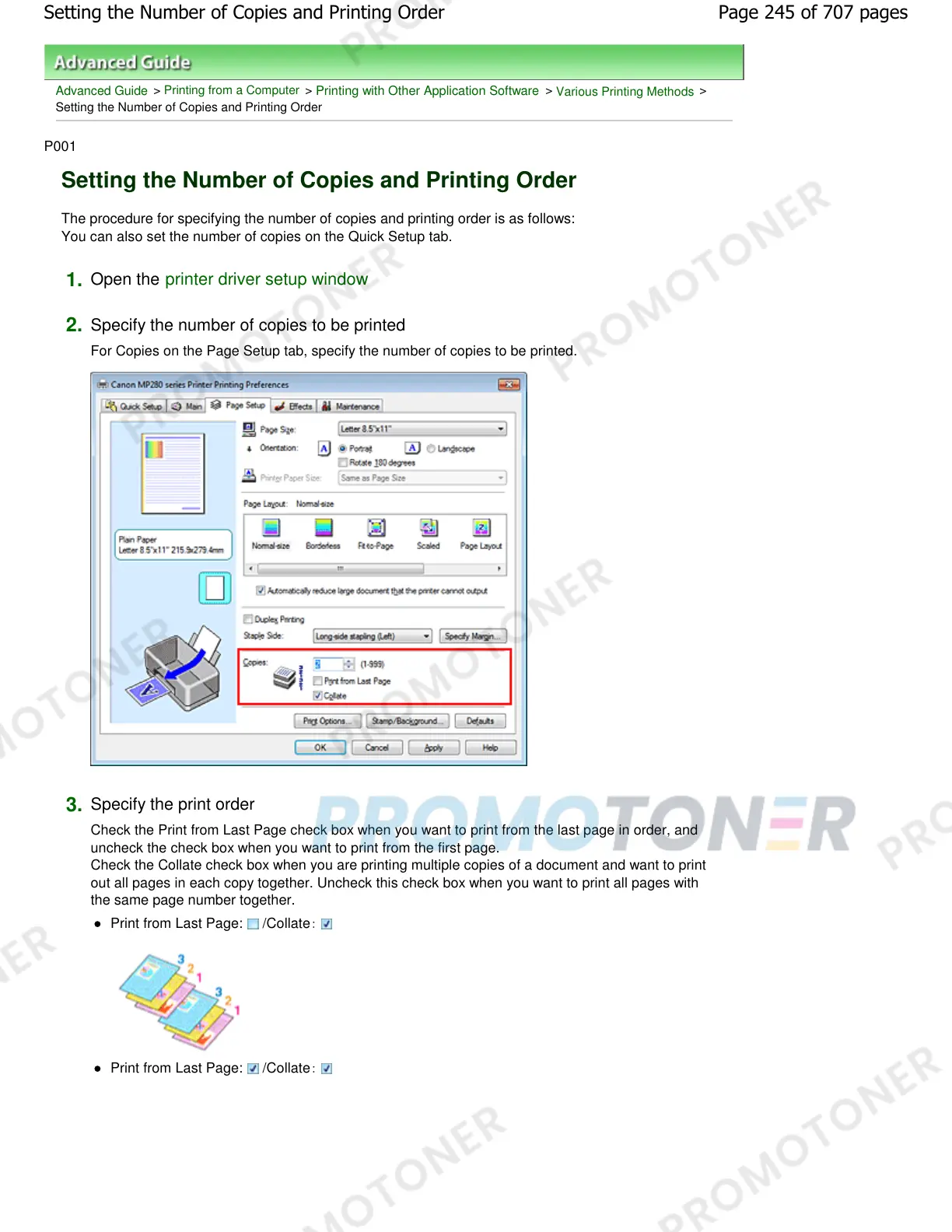
Specify the number of copies to be printed
For Copies on the Page Setup tab, specify the number of copies to be printed.
3.
Specify the print order
Check the Print from Last Page check box when you want to print from the last page in order, and
uncheck the check box when you want to print from the first page.
Check the Collate check box when you are printing multiple copies of a document and want to print
out all pages in each copy together. Uncheck this check box when you want to print all pages with
the same page number together.
Print from Last Page: : /Collate
Print from Last Page: : /Collate
Page 245 of 707 pagesSetting the Number of Copies and Printing Order














 To Next Page