>
Printing from a Computer
>
Printing with Other Application Software
>
Various Printing Methods
>
Stamp/Background Printing
P403
Stamp/Background Printing
Stamp or Background may be unavailable when certain printer drivers are used.
The Stamp function allows you to print a stamp text or a bitmap over or behind document data. It also
allows you to print date, time and user name. The Background function allows you to print a light
illustration behind the document data.
The procedure for performing stamp/background printing is as follows:
Printing a Stamp
"CONFIDENTIAL," "IMPORTANT," and other stamps that are used often in companies are pre-registered.
1.
Open the
printer driver setup window
2.
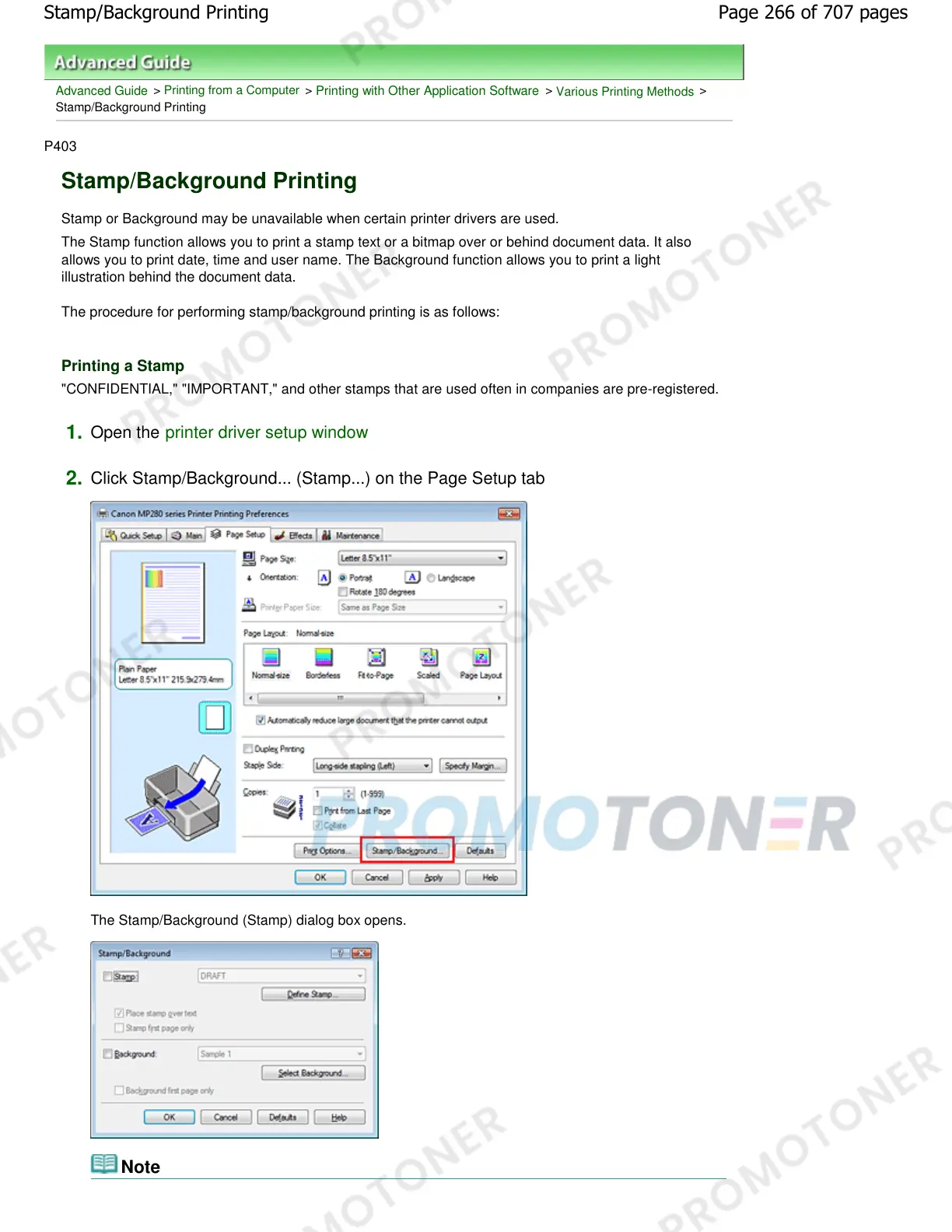
Click Stamp/Background... (Stamp...) on the Page Setup tab
The Stamp/Background (Stamp) dialog box opens.
Note
Page 266 of 707 pagesStamp/Background Printing














 To Next Page