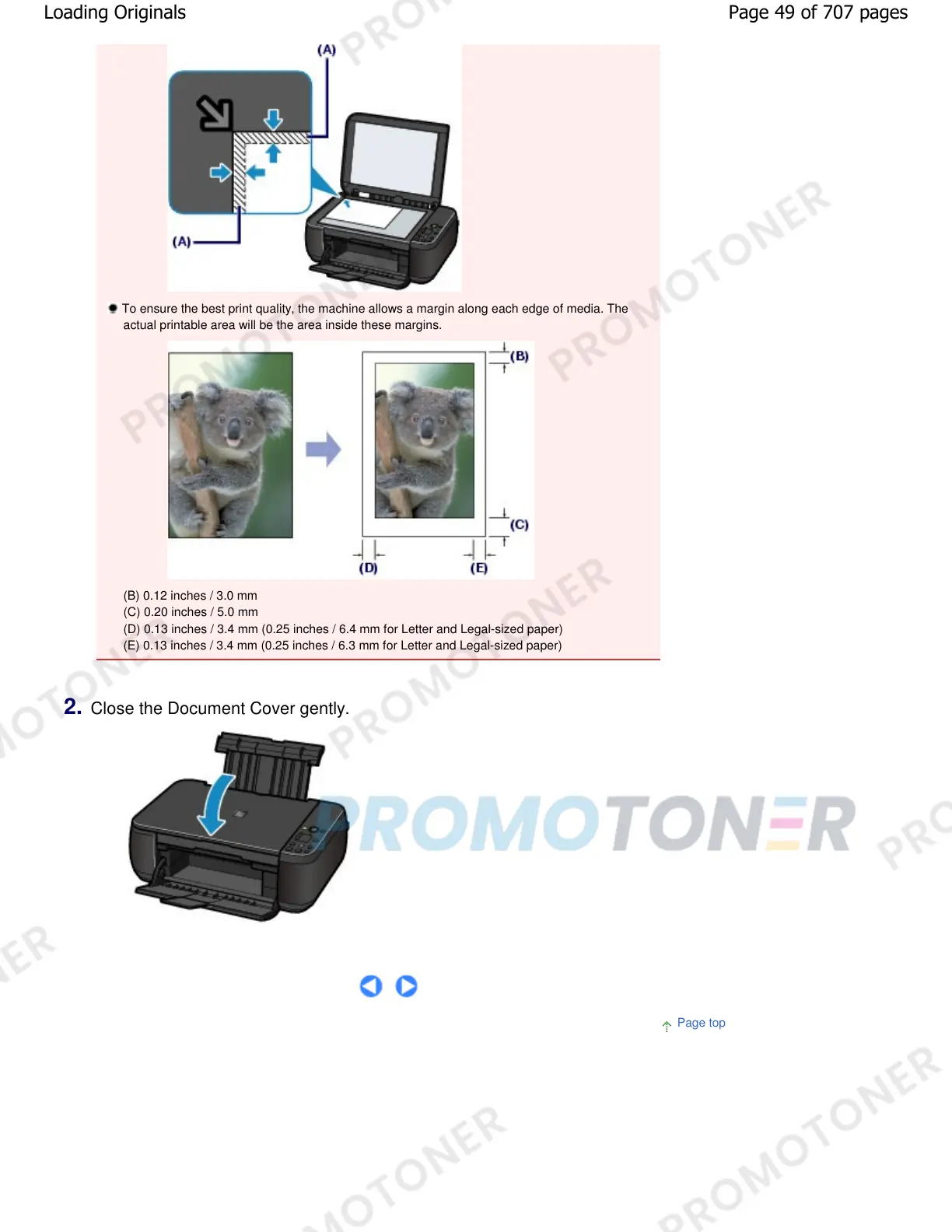
To ensure the best print quality, the machine allows a margin along each edge of media. The
actual printable area will be the area inside these margins.
(B) 0.12 inches / 3.0 mm
(C) 0.20 inches / 5.0 mm
(D) 0.13 inches / 3.4 mm (0.25 inches / 6.4 mm for Letter and Legal-sized paper)
(E) 0.13 inches / 3.4 mm (0.25 inches / 6.3 mm for Letter and Legal-sized paper)
2.
Close the Document Cover gently.
Page top
Page 49 of 707 pagesLoading Originals










 To Next Page