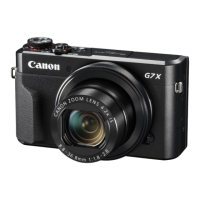
Images are blurry or not in focus (PowerShot G7 X)
1. Holding the Camera
You can prevent camera shake by holding the camera firmly.
Place the strap around your neck.
When shooting, keep your arms close to your body and hold the camera securely to prevent it from moving. If you
have raised the flash, do not rest your fingers on it.
. When the Camera Shake Icon Appears
When you press the <Shutter Button> halfway in low light conditions where camera shake is likely, a flashing ( ) will appear.
Set the [IS mode] to [Continuous].
Press < > button > [Shooting] tab ( ) > [IS Settings], and then select [Continuous] for the [IS Mode].
Set the flash to [On] ( ).
Move the flash switch to raise the flash, press the < > button, and then press the < >< > buttons to choose [On] ( )
Increase the [ISO speed].
Increase the [ISO speed].
Press the < FUNC./SET> ( ) button, then select [ ] from the menu and choose the desired [ISO Speed].

 Need help?
 General











 To Next Page