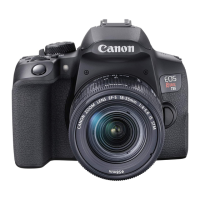
Canon Rebel T7 DSLR Camera Kit instructions
Please do not detach the lens from the camera body.
To turn the camera on/off, toggle the switch to do what you want.
Set the mode dial to (Scene Intelligent Auto). In this setting all the camera settings will
be set automatically.
To take a photo, look through the viewfinder and aim the viewfinder center over the subject(s).
Press the shutter button halfway to allow the camera to focus on the subject(s).

 Need help?
 General












 To Next Page