Endoscope Connection
FUJIFILM™ 700 Series Endoscopes require a unique connection method for compatibility with SCOPE BUDDY™
PLUS Endoscope Flushing Aid. The 24-Hour Multi-Use Tubing Hookup for FUJIFILM Endoscopes (SB-110-HU1009)
should NOT be used to connect FUJIFILM 700 Series Endoscopes with the congurations shown in the Instruction
for Use.
It is recommended to use the 24-Hour Multi-Use Tubing Universal Hookup (SB-110-HU1016) to connect to the
FUJIFILM 700 Series Endoscopes. The Universal Hookup can be connected to FUJIFILM 700 Series Endoscopes
using the FUJIFILM WA-007 and WA-010 cleaning adapters.
Please review the instructions and pictures below for information about this connection method.
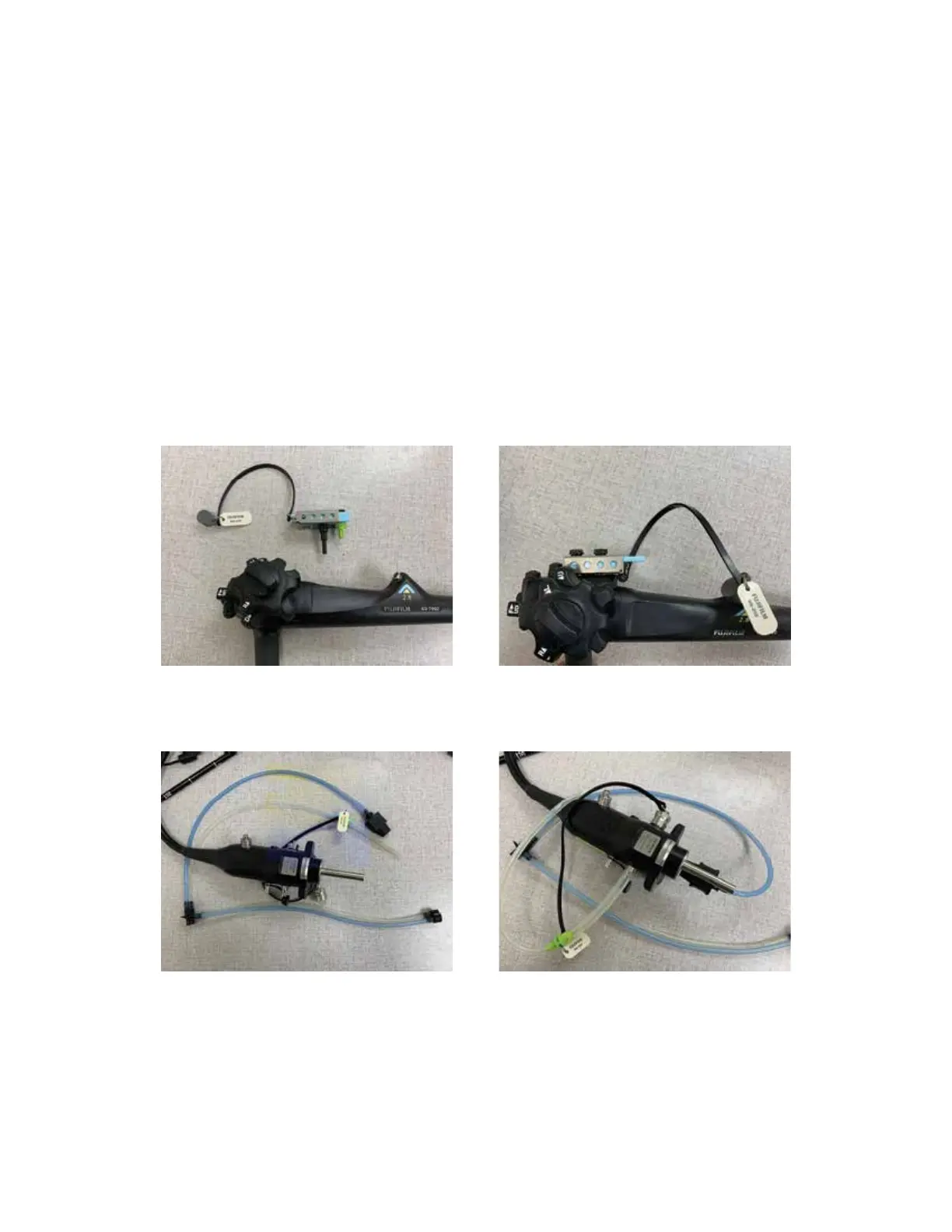
1. Connect the WA-010 cleaning adapter to the control body portion of the endoscope and place the biopsy cap
over the biopsy port.
Using SCOPE BUDDY
™
PLUS Endoscope Flushing Aid 24-Hour Multi-Use Tubing Universal Hookup (SB-110-HU1016) with FUJIFILM
™
700 Series Endoscopes
2
2. Connect the WA-007 cleaning adapter to the light guide end of the endoscope.



 To Next Page