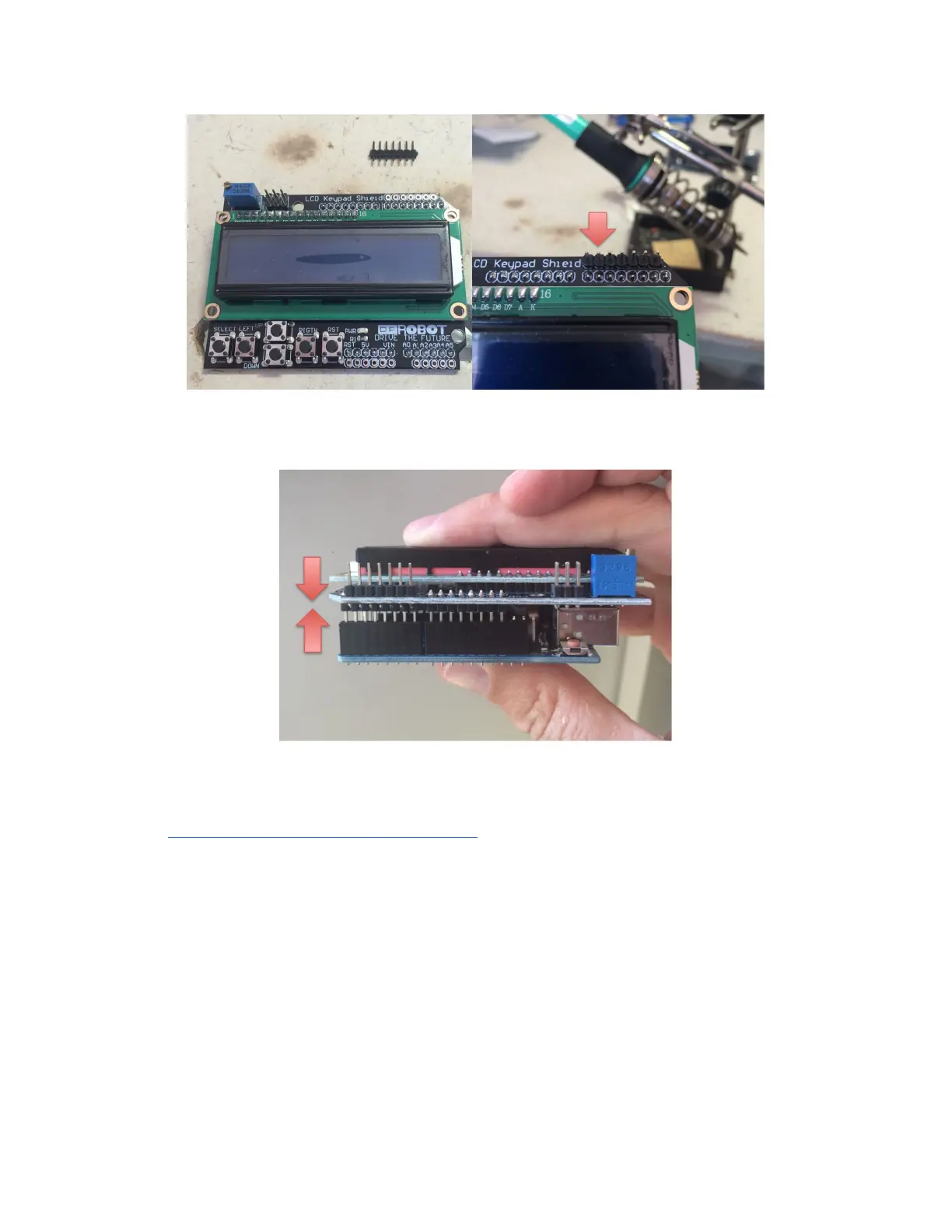
2. AssembletheArduinoUnoandLCDKeypadShieldtogether
3. DownloadandinstallsoftwareforyourOSfrom
https://www.arduino.cc/en/Main/Software
4. ConnectyourarduinotoyourPCviaUSB
5. OpentheArcadeHacker_CPS2.inofileintheArduinoenvironment.
6. CompileandUploadthesketchtotheArduino,nextbootsequenceshoulddisplay
what'sshownbelow.Ifyoucan'tseeanythingyoumaywanttodoublecheckthescreen
contrastsetting.



 To Next Page