11
Please keep this instruction manual for future reference Instruction manual CM465
PREPARATION
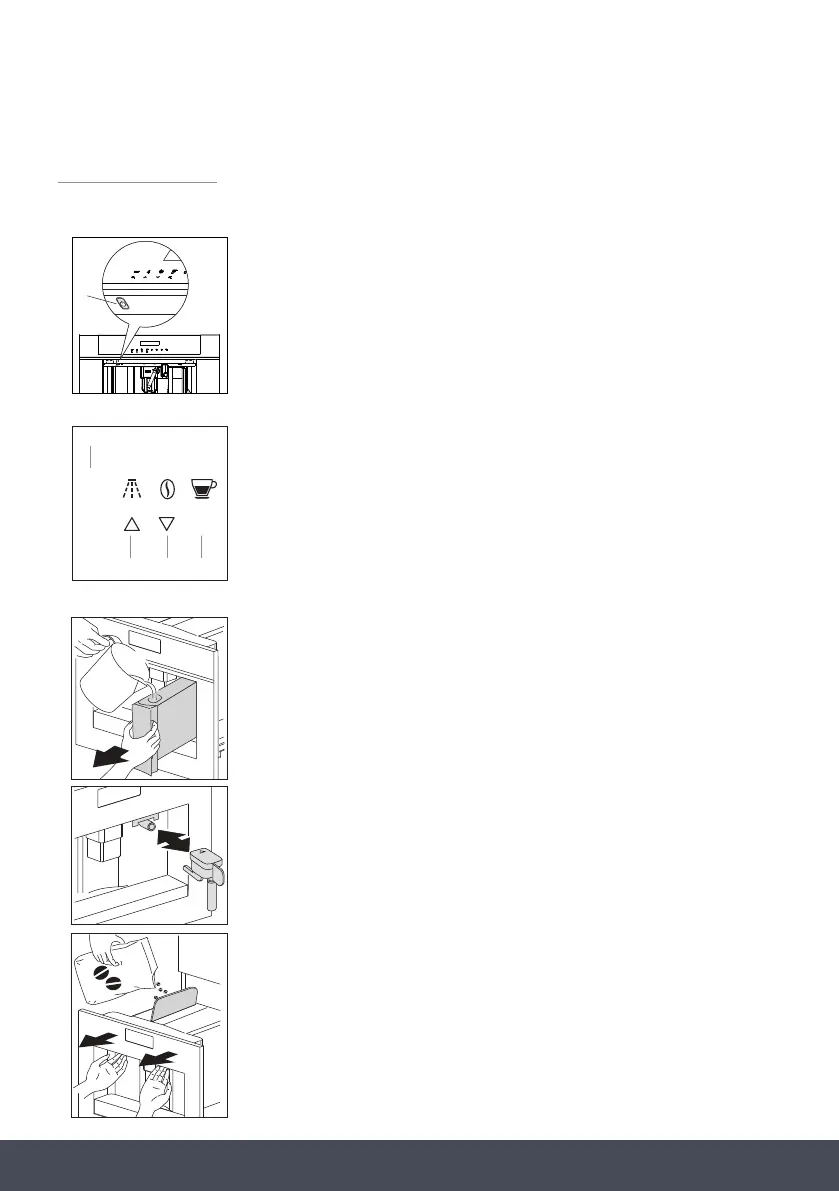
The rst time you switch on the appliance with the main switch (see ‘A’
on the ‘Product overview’ section) and every time that it is plugged in,
the appliance executes a “SELF-DIAGNOSIS” action. Then the appliance
switches off.
To turn it on, press the On/off button (Aa/see g. 1) on the left side
underneath the control panel.
› Coffee has been used to factory test the appliance and it is
therefore completely normal for there to be traces of coffee in
the mill.
› Customise water hardness as soon as possible following the
instructions in the “Setting water hardness” section.
1. Connect the appliance to the mains supply.
2. Switch on the appliance with the main switch
(see ‘A’ on ‘Product overview’.
3. Start the appliance with the on/off button (see ‘Aa’).
4. Set the required language.
› Choose the required language using the ‘scroll’ touch keys (5
and 7). When the message “PRESS OK TO CHOOSE ENGLISH”
is displayed, press and hold the touch key ‘Ok’ (9). If you set
the wrong language, follow the instructions in the “Setting
the language” section. If your language is not available, select
one from those displayed. The instructions refer to the English
version. Then follow the instructions displayed:
5. After 5 seconds, the appliance displays “ENGLISH INSTALLED”.
› Extract the water tank, rinse and fill with fresh water without
exceeding the MAX line.
› Replace and push as far as it will go.
on the 'Product overview' section
off d
1.
2. on 'Product
overview'
3. off
4.
5.
6.
7.
8.
2
1
FFiigg..11
UUSSEE OOUURR AARRTTWWOORRKK
on the 'Product overview' section
off d
1.
2. on 'Product
overview'
3. off
4.
5.
6.
7.
8.
Aa
F
i
g
.
1
1
UUSSEE OOUURR AARRTTWWOORRKK
MENU
EXIT
OK
2
5 7 9


 To Next Page
 Loading...


