Instruction manual CM46526 Please keep this instruction manual for future reference
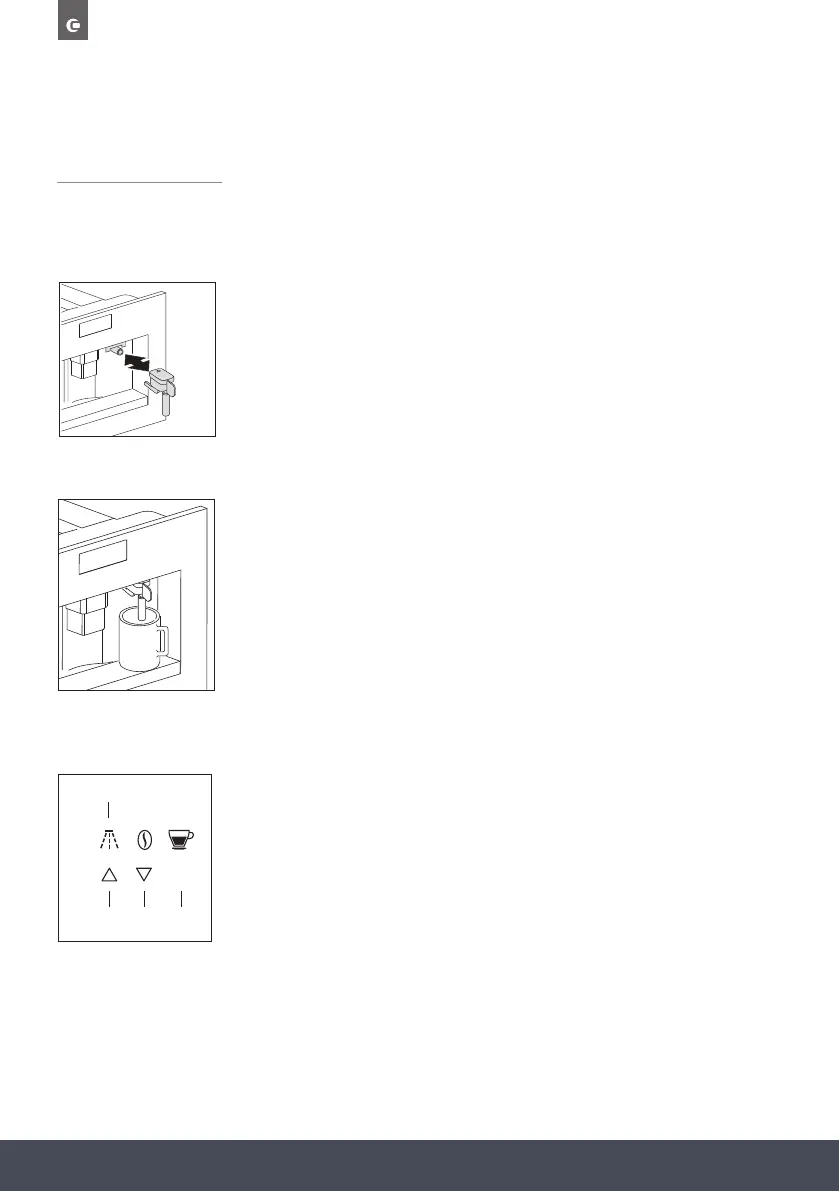
1. Insert the hot water nozzle.
2. Press the touch key ‘MENU’ and press the scroll touch keys until the
menu option “DESCALE” appears. Conrm the menu option with the
touch key ‘OK’.
3. The display shows ”PLEASE CONFIRM”. Conrm with the touch key
‘OK’. The descaling programme starts.
The top line of the display alternates between “ADD DESCALER” and
“PLEASE CONFIRM”.
4. Empty the tank of water, pour the contents of the descaler pack into
the tank respecting the instructions given on the descaler pack, then
add water. For subsequent descaling operations, descaling solutions
can be purchased from www.caple.co.uk.
Make sure that any splashes from the descaling product do not
come into contact with surfaces that are sensitive to acids, such
as marble, limestone and ceramic.
5. Put a container with a capacity of at least 2 litres underneath the hot
water nozzle.
6. Press the touch key ‘OK’ (9). The display shows “DESCALING”.
The descaling liquid runs out of the hot water nozzle. The descaling
programme automatically goes through a serie of rinses and pauses
to remove limescale deposits from the inside of the coffee machine.
After about 30 minutes the water tank is empty and the top line of
the display alternates between “DESCALE COMPLETE” and “PLEASE
CONFIRM”.
7. Press the touch key ‘OK’ (9). The display shows “RINSING, FILL TANK”.
The appliance is now ready for a rinsing process with
clean water.
1.
“TEMPERATURE” appears. Confirm the .
2.
1.
2.
1.
2.
.
3.
4. Empty the tank of water, pour the contents of the descaler pack
s
5.
6.
7.
8.
9. k
10.
11.
12.
13.
14.
Note:
Failure to descale the appliance invalidates the guarantee.
UUSSEE OOUURR AARRTTWWOORRKK
MENU
EXIT
OK
5 7 9
2
CARRYING OUT THE DESCALING PROGRAMME
When the display shows “PLEASE DESCALE!”, the appliance must be descaled.


 To Next Page
 Loading...


