Instruction manual DD610BK
16
Please keep this instruction manual for future reference
THE SLIDER (TOUCH CONTROL)
In principle, the slider functions the same as the touch controls; the only difference is that you can
put your nger on the glass ceramic surface and then move it around. The touch control recognises
this movement and raises or lowers the display setting (power level) in accordance with
the movement. The term touch control is used to mean slider from now on.
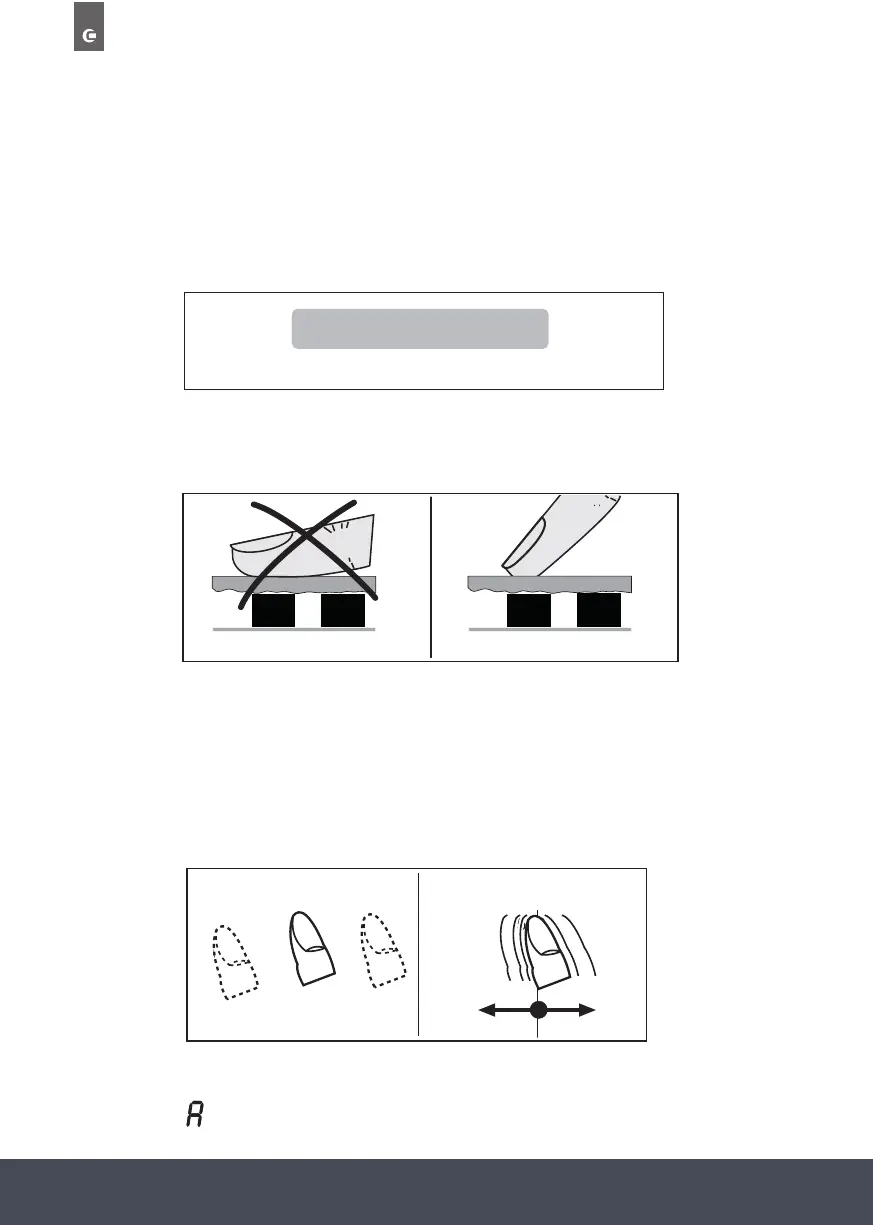
WHAT MUST BE OBSERVED WHEN OPERATING TOUCH CONTROLS?
Your nger should not be placed at onto the glass ceramic surface in order to avoid adjacent
keys/touch controls from reacting by mistake.
PRESS THE TOUCH CONTROL LIGHTLY
OR MOVE YOUR FINGER AROUND
You can press the touch control very lightly with your nger; when this is done the setting on the
display (power level) will gradually change. Move to the right to Increase the power level.
When you put your nger on the touch control and then move it to the left or right, the display
setting will change progressively. The faster the movement, the faster the change in the display.
NOTE:
Pressing a sensor key and keeping it pressed (for approx. 3 seconds) may activate the automatic
boost function . See the section on Automatic boost function.
Touch Control
1 2 3 4 5 6 7 8 9 P
1 2 3 4 5 6 7 8 9 P
1 2 3 4 5 6 7 8 9 P
Finger
Vitroceramic
Sensor Sensor
Unsuitable
Vitroceramic
Sensor Sensor
Finger
Right
Incorrect
Correct
1 2 3 4 5 6 7 8 9 P
1 2 3 4 5 6 7 8 9 P
1 2 3 4 5 6 7 8 9 P
move
1 2 3 4 5 6 7 8 9 P
touch
1 2 3 4 5 6 7 8 9 P
Incorrect Correct
Touch Move


 To Next Page
 Loading...