Customer Service: 888-269-7477
REMOTE MESSAGE RETRIEVAL
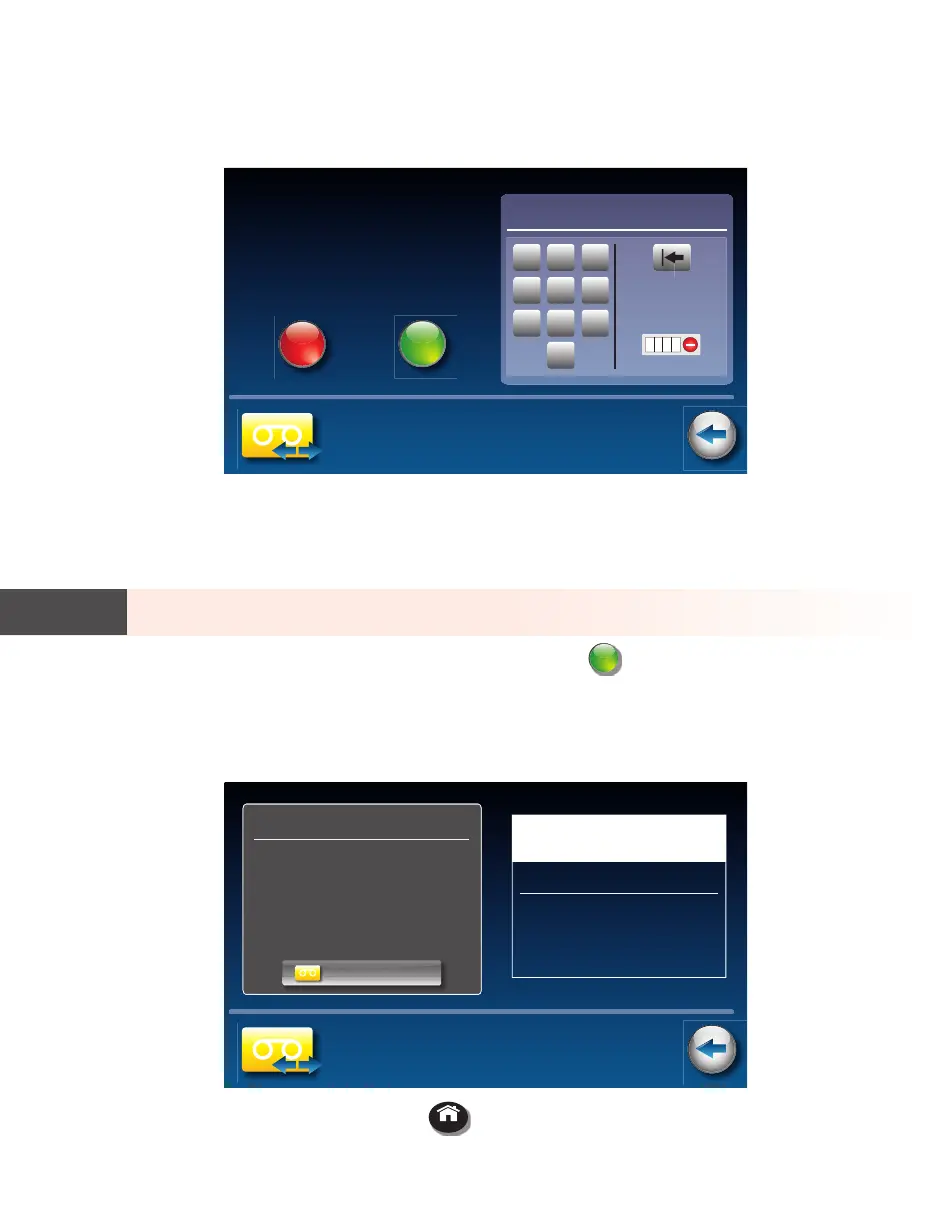
5. CapTel shows the default 4-digit Remote Access PIN. This is the number
you need to enter when calling in remotely to play your Answering
Machine messages.
You should change the PIN to a di erent number for your own use. Touch
the four digits on the display screen that you want to use. The selected PIN
appears on screen to con rm your selection.
Be sure to write your PIN down for your own reference.
6. When you have the PIN that you want, touch
save
(save).
7. CapTel con rms the PIN number you have saved and shows a list of
remote access commands. Use these commands when calling in to get
your messages remotely.
8. When you are nished, press
HOME
(HOME button) to exit.
TIP
Back
Remote Access Setup
Enter a 4 digit Remote
Access PIN and touch save,
or touch cancel to turn o
Remote Access and exit.
Enter Remote Access PIN
1
2 3
4
5 6
7
8 9
0
1234
save
cancel
Back
Remote Access Setup
Remote Access PIN Saved
The PIN above will be needed to
remotely access your CapTel answering
machine messages
• Press 1 to Play Message
• Press 2 for Next Message
• Press 3 to Delete Message
• Press 4 to Exit Remote Access
0228
touch to go back to answering machine menu
In Remote Access mode, use the
commands below to remotely manage
your answering machine messages
Remote Access Commands
ans. machine


 To Next Page
 Loading...

