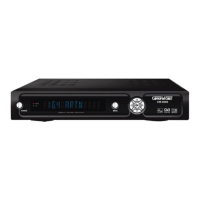
Check if the right COM port is selected. Most of the time COM 1 is default.
Also make sure Download S/W is selected.
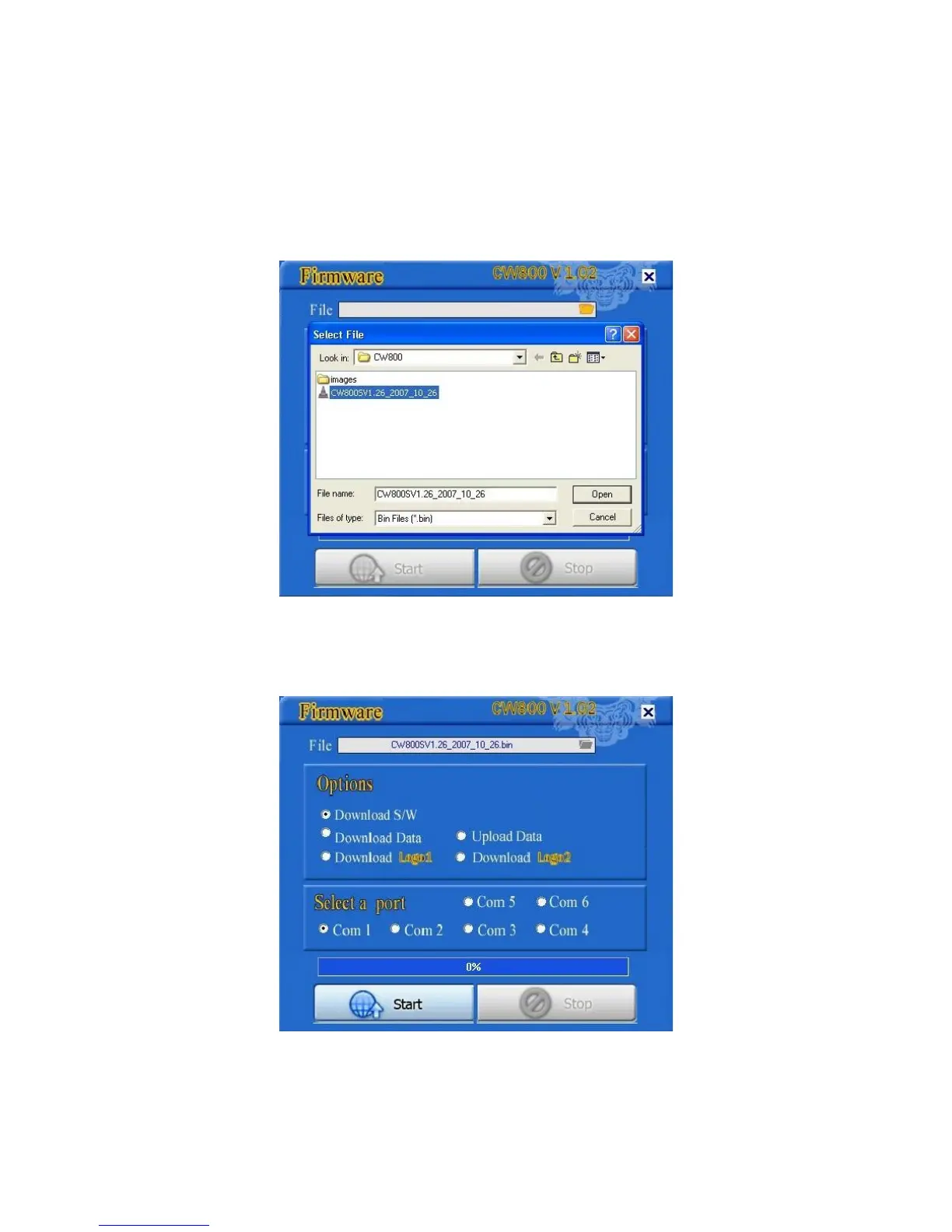
6) Press File Icon beside File Box and select the Latest bin file you downloaded from the Company
website “CW800V1.XX_date.bin".
Now Press Open or Press Enter key on your keyboard to load file in your loader.
You can see in this picture, file is loaded in the Loader program.


 To Next Page