ar2100view quick reference guide
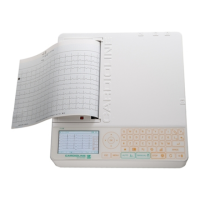
The package contains
1) ar2100view
7) Anti-dust bag
1 – Preparing the device
• To open the printer door (A), put
your fingertips in the opening B and
turn the door upwards;
• Put a paper pack (6) in the side
opening (B); the black mark must be
on the upper margin;
• Slip the paper under the two red
slide guides (C) and close the door;
• Connect the patient cable (5) to the
patient cable connector on the right
side of the device (D) and screw it in
securely;
• Connect the power cord (2) to the
plug on the back of the device (E)
and the mains supply network;
• Power on the device pressing the Power On button on the back of the device (F) for a few
seconds.
• Date and time settings: press Menu
• Use the arrows to scroll the Settings menu and press OK;
• Select General, press OK, select Date\Time, press OK;
• Use the arrows to scroll; enter data using the keypad;
• Press OK to confirm.
B
A
C
C
D
E
F
6) Pack of ECG paper
8) ECG measuring
ruler
4) Disposable electrodes
ECG, tab, 100pcs
3) Alligator clip adapter
10pz
2) Power cord
5) Patient cable

 Need help?
 General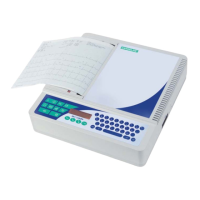








 To Next Page