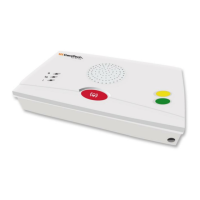
Need help?
Do you have a question about the CareTech 4200 and is the answer not in the manual?
Covers essential warnings for battery handling, installation, and interference.
Details the sequence of events when an alarm is activated and handled.
Lists and explains the various alarm types and their default settings.
Describes the system for recording home-care activities and staff interventions.
Explains how to identify, interpret, and diagnose various error conditions.
Provides instructions on proper placement and initial setup of the carephone.
Procedure for resetting the carephone to its factory default settings.
Steps to enable and establish a connection for remote programming.
Overview of the protocol used for programming via phone or computer.
Configuration details for twelve special function settings.
Instructions for programming and testing radio alarm buttons.
Step-by-step guide for replacing the unit's batteries.
 General
| Brand | CareTech |
|---|---|
| Model | 4200 |
| Category | Home Safety Product |
| Language | English |


 To Next Page