======
Q1:CarlinKit 5.0_Android Auto prompts "Please use your phone to connect to
Bluetooth"/Please use your phone to connect to Bluetooth
A1:
You need to do the following
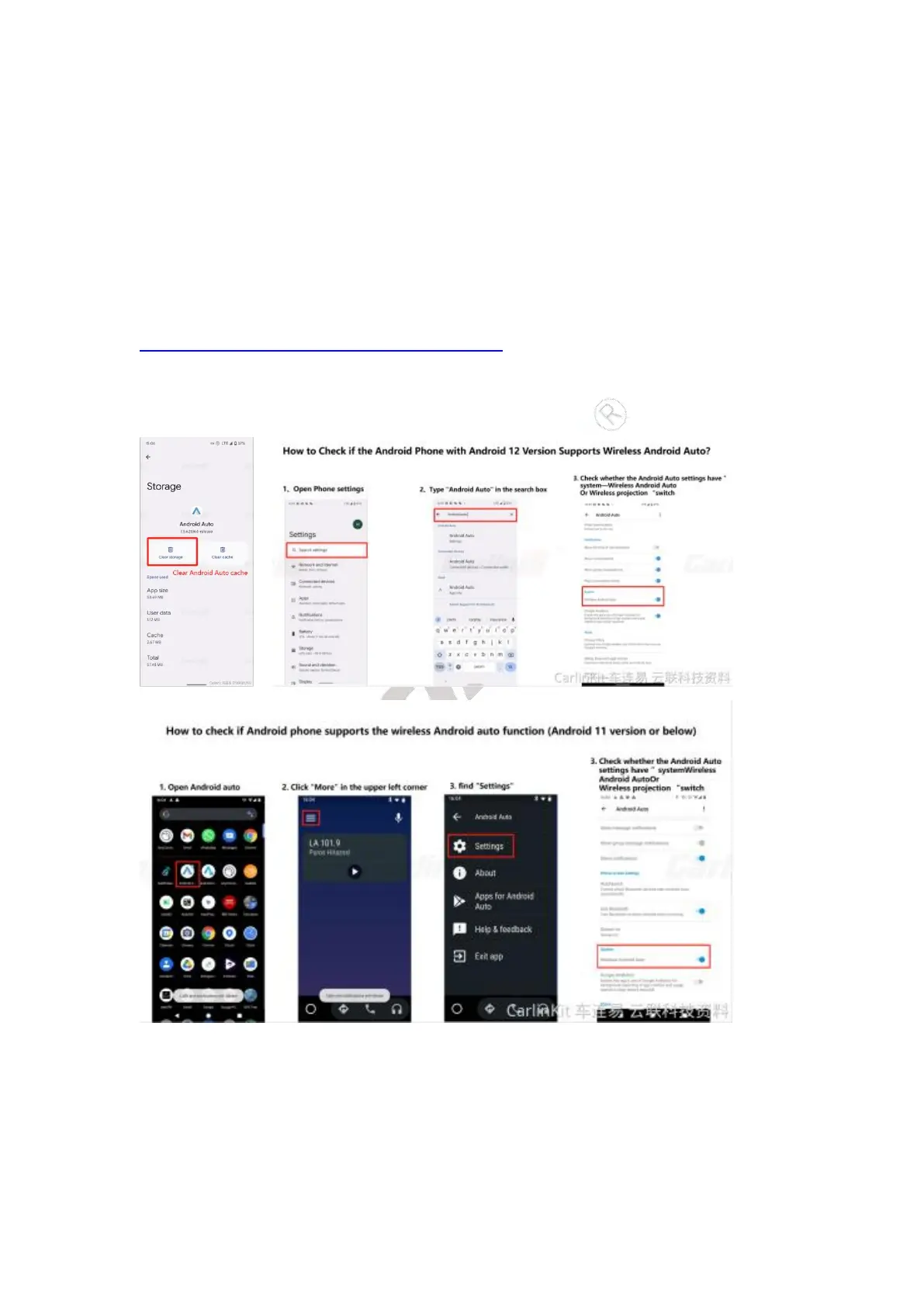
1, Clear Google cache on your phone
https://www.youtube.com/shorts/AOKclbaR8tg
2, Clear Android Auto cache
3, Open wireless Android Auto option
4, Reset the CarlinKit 5.0


 To Next Page