2
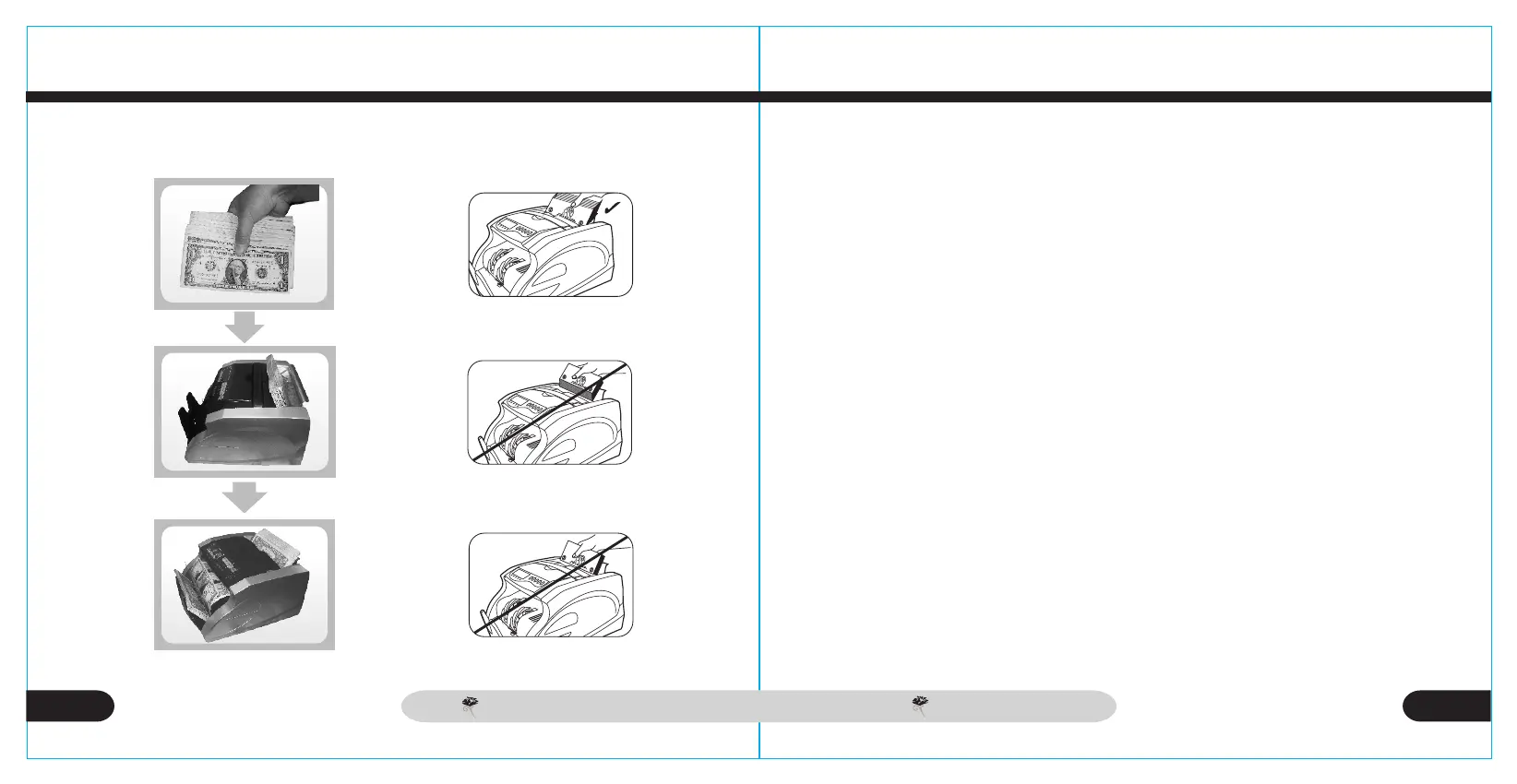
Correct Way to Place Banknotes in Feeder
ADD Function
BATCH Function
This function allows the user to add to a total several batches of ba-
nknotes. When enabled(LED light is ON), the current batch total re-
mains on the display, even if bills are removed from banknote holder.
The next batch will be added to the current count. When the number
of bills reaches 999+1,the display is rest to 0. When ADD function is
disabled, the total will return to 0 when the new batch is run.
This function is used to set the batch limit. When"Preset+10" button
is pressed, "100" is displayed on the preset display. Each time "
Preset+10" is pressed, the displayed value will change to 50,20 and
blank. When preset display is blank, batch function is disabled. By
pressing "Preset+10", the user can increase the batch limit in incre-
ments of 10. By pressing "Preset+1", the user can increase the batch
limit in increments of 1.
5
4
CARNATION
CR 180
CARNATION
CR 180CR 180 CR 180
CARNATION
CARNATION


 To Next Page