EasyManua.ls Logo

Casio BF-100 - Page 13

Casio BF-100
31 pages
Print Icon
To Next Page IconTo Next Page
To Previous Page IconTo Previous Page
Loading...
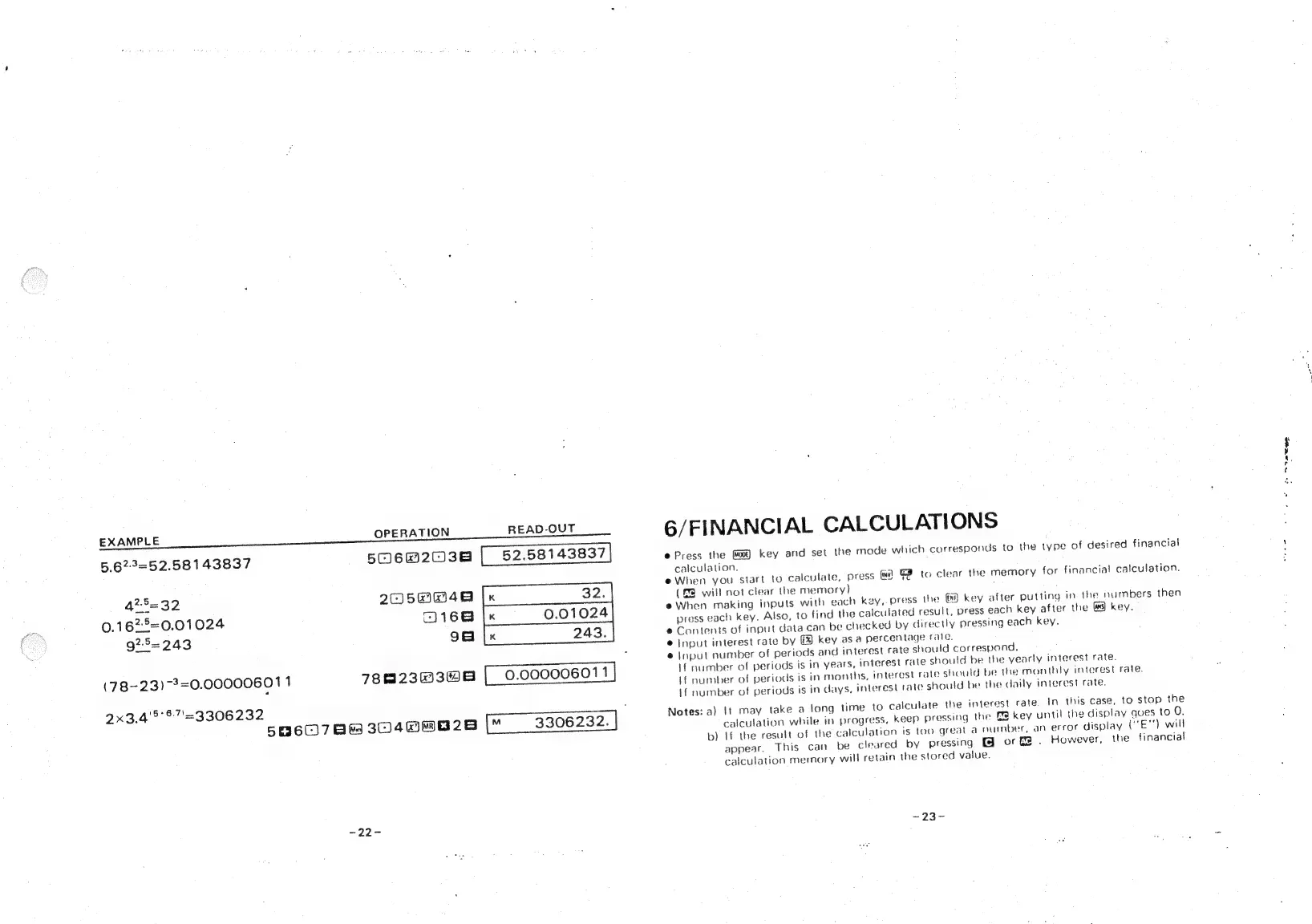
EXAMPLE
OPERATION
READ-OUT
5.623=52.58143837
506@203e
|
52.58143837
428=32
2asmw4e
[x
32.
0.1622=0.01024
168
|
0.01024
925=243
gale
243.
(78-23)
-3=0.00000601
1
7823038
[|
0.000006011
2x3.4'5'67'=3306232
5960786
3048W@028
-22-
6/FINANCIAL
CALCULATIONS
e
Press
the
key
and
set
the
mode
which
corresponds
to
the
type
of
desired
financial
calculation.
e
When
you
start
to
calculate,
press
[ww
3
to
clear
the
memory
for
financial
calculation.
(&@
will
not
clear
the
memory)
e
When
making
inputs
with
each
key,
press
the
(7
key
after
putting
in
the
numbers
then
press
each
key.
Also,
to
find
the
calculated
result,
press
each
key
after
the
4
key.
@
Contents
of
input
data
can
be
checked
by
directly
pressing
each
key.
@
Input
interest
rate
by
key
as
a
percentage
rate.
@
Input
number
of
periods
and
interest
rate
should
correspond.
;
If
number
of
periods
is
in
years,
interest
rate
should
be
the
yearly
interest
rate.
If
number
of
periods
is
in
months,
interest
rate
should
be
the
monthly
interest
rate.
If
number
of
periods
is
in
days,
interest
rate
should
be
the
daily
interest
rate.
Notes:
a)
It
may
take
a
long
time
to
calculate
the
interest
rate.
In
this
case,
to
stop
the
calculation
while
in
progress,
keep
pressing
the
GM
key
until
the
display
gues
to
O.
b)
If
the
result
of
the
calculation
is
too
great
a
number,
an
error
display
(“E"')
will
appear,
This
can
be
cleared
by
pressing
@
or
.
However,
the
financial
calculation
memory
will
retain
the
stored
value.
~23-
i.
Nee

Related product manuals