EasyManua.ls Logo

Casio BF-100 - Page 3

Casio BF-100
31 pages
Print Icon
To Next Page IconTo Next Page
To Previous Page IconTo Previous Page
Loading...
i.
3
ewe
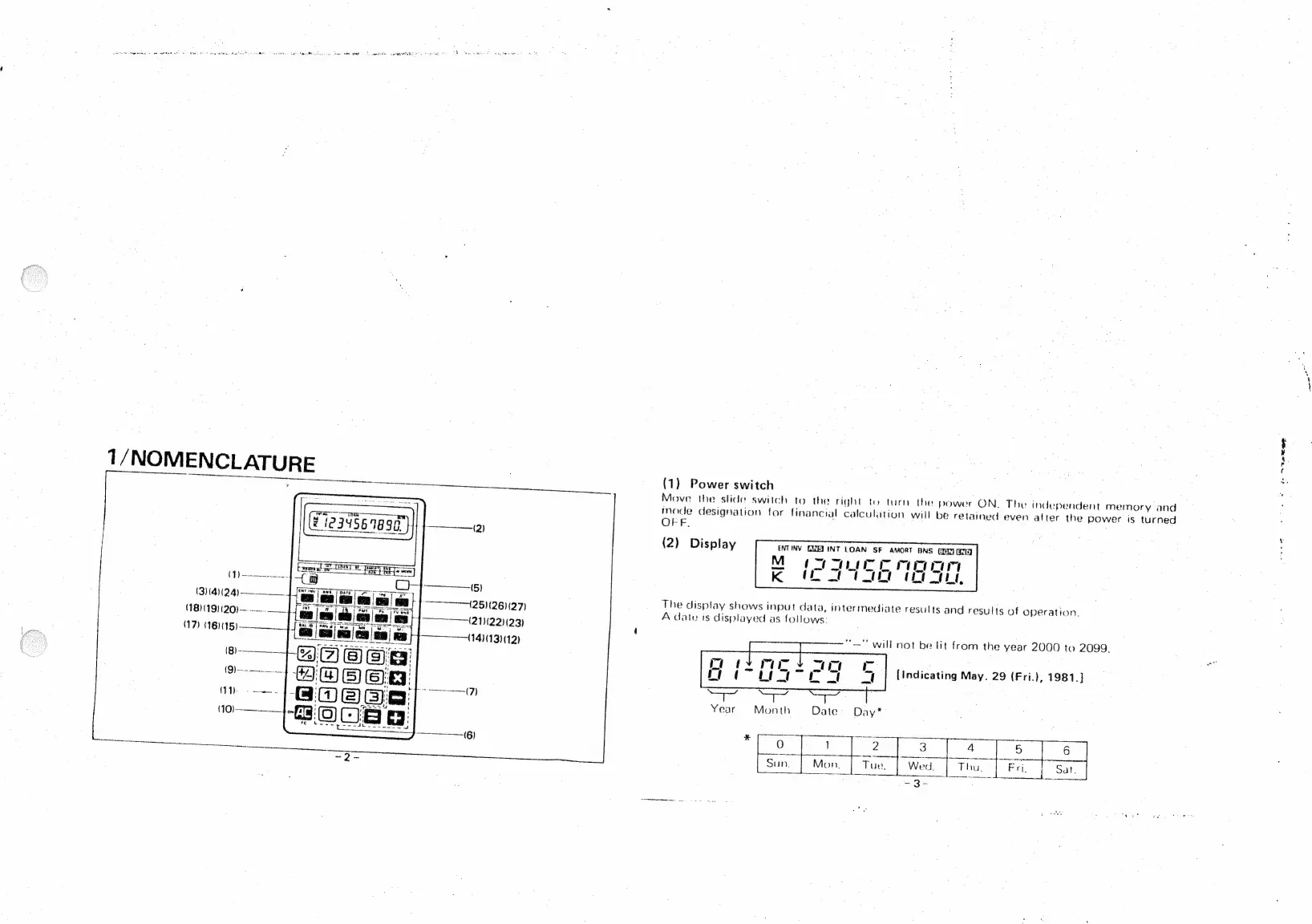
1/NOMENCLATURE
eee
en
eee
(1)
Power
switch
aan:
Move
the
slide
switch
to
the
right
to
turn
the
power
ON.
The
independent
memory
and
Made
designation
for
financial
calculation
will
be
retained
even
after
the
power
is
turned
OFF.
(2)
Display
ENTINV
EXET
INT
LOAN
SF
AMORT
BNS
(ry
ama
M
Im
muUecc
moc
Le
K
(EL
ltt
CE
at,
(iss
(314)(24)————__
(25)(26)(27)
The
display
shows
input
data,
intermediate
results
and
results
of
operation,
(18)(19)(20)—---.._]
fe
(211221123)
A
date
is
displayed
as
follows:
(14)(13)(12)
oe
“—"
will
not
be
lit
from
the
year
2000
to
2099.
[Indicating
May.
29
(Fri.),
1981.)
on
ae
Year
Month
Date
Day*
esac
i
ae
1
i
ae
ee
4
;
Sun.
Mon.
Tue,
Wed.
Thu.
[esa
Fri,
|
Sai.
-3-

Related product manuals