EasyManua.ls Logo

Casio BF-100 - Page 8

Casio BF-100
31 pages
Print Icon
To Next Page IconTo Next Page
To Previous Page IconTo Previous Page
Loading...
®
Overflow
or
error
check
Overflow
or
error
is
indicated
by
the
“E'
sign
and
stops
further
calculations.
Overflow
or
error
occurs:
1)
When
the
integer
part
of
an
answer,
whether
intermediate
or
final,
exceeds
10
digits.
However,
the
significant
10
digits
of
the
answer
are
given
and
the
decimal
point
indicates
that
the
true
decimal
position
is
10
digits
to
the
right.
2)
When
the
integer
part
of
an
accumulated
total
in
the
memory
exceeds
10
digits.
3)
When
a
number
is
divided
by
O
(zero).
4)
When
function
calculation
or
financial
calculation
is
per
the
input
range
(see
page
54
to
56).
To
release
the
overflow
or
error
check,
press
the
f
or
(
key:
G
for
starting
a
new
calculation,
and
@
for
continuing
the
calculation,
which
clears
only
the
E”’
sign.
formed
with
a
number
exceeding
Auto
power
off
function
if
the
calculator
is
left
with
the
power
switch
at
the
ON
position,
the
auto
power
off
function
automatically
turns
off
the
power
in
approximately
6
minutes,
thus
saving
battery
life.
Power
is
resumed
either
ty
pressing
the
G
key
or
by
re-operating
the
ON-OFF
switch.
~12—-
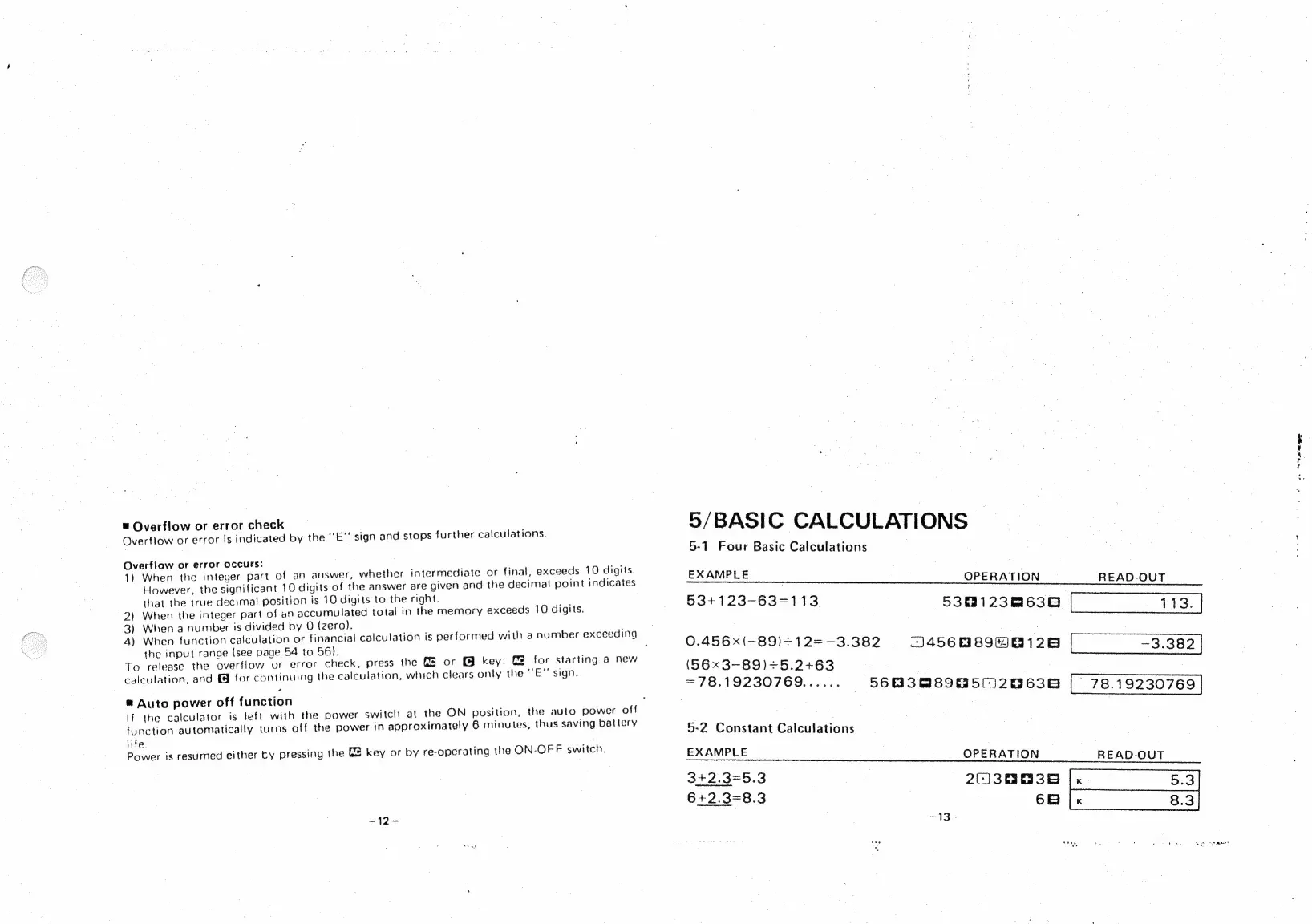
5/BASIC
CALCULATIONS
5-1
Four
Basic
Calculations
EXAMPLE
OPERATION
READ-OUT
534123-63=113
5381238638
113.
0.456x(-89)+12=—-3.382
J456889H0126
“3.302
(56x3-89)+5.2+63
=7B.19230169aee.
5603089050)20638
_78.19230769
5-2
Constant
Calculations
EXAMPLE
OPERATION
READ-OUT
3+2.3=5.3
2(J
30038
6+2.3=8.3
68
Se
13
-
i.
See

Related product manuals