EasyManua.ls Logo

Casio CTK-531 - Tempo and Accompaniment Control; Adjusting Tempo and Using Metronome; Using Auto Accompaniment with Chords

Casio CTK-531
41 pages
Print Icon
To Next Page IconTo Next Page
To Previous Page IconTo Previous Page
Loading...
\L
y
ofthe
cur.
TOP
button
RODE
omen
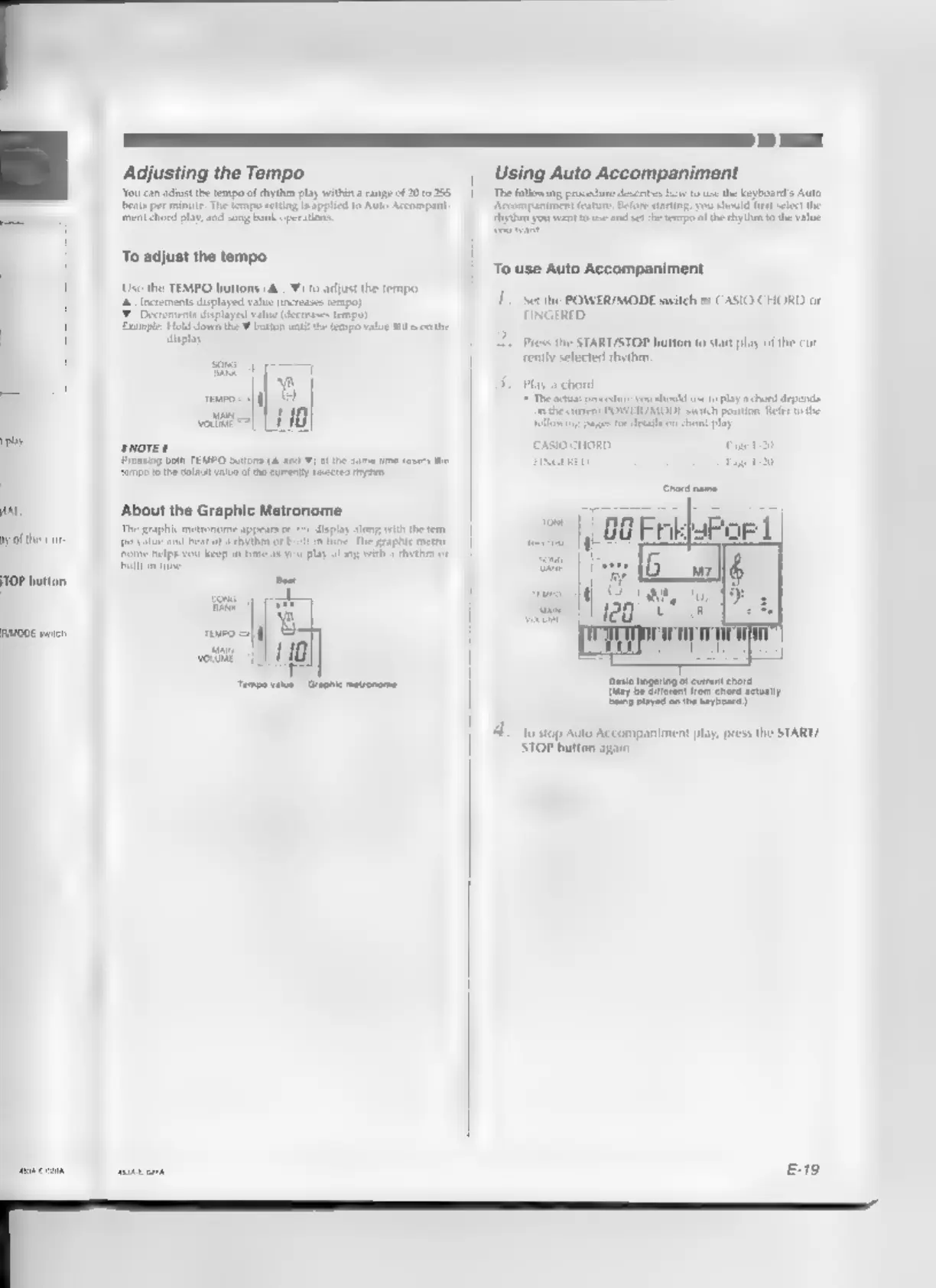
Adjusting
the
Tempo
‘orca
aust
te
tp
fy
ply
within
ange
£20255
feispereniartatepecunplaaspieaiines
noampe
Pere
Sell
te
tas
To
adjust
the
tempo
Use
the
TEMPO
buttons
(&.,
¥)
to
adjust
the
tempo,
2
Increments
displayed
value
increases
texapo)
Decrements
displayed
vale
(decrease
et
cane
Hold
down
the
¥
bation
wat
fe
teanpovalue
10
the
‘play
rrom|
qf]
vote]
110
Prosting
both
TEMPO
buttons
(ard
¥)
atthe
same
Ue
resets
th
fumpo
othe
elaut
value
of
ha
curenty
sects
mye
‘About
the
Graphic
Metronome
ine
Te
pee
Play
along
with
x
ehytho
or
The
graphic
metronome
appear
jo
value
and
beat
of
hytoen
oF
Frome
heips
you
keep
in
ime
a8
y
frllsintine
Beal
K'
wottn
Using
Auto
Accompaniment
Tong
protest
bart
th
bear
Ada
conyers
ous
nt
ipectpatcetountier
suerctresaytone
Orvnint
To.use
Auto
Accompaniment
1.
Set
the
POWER/MODE
switch
to
CASIO
CHORD
or
FINGERED.
2.
Press
the
START/STOP
button
t0
start
play
of
the
cur
rently
selected
rhythm,
ay
a
chord.
The
aca
procedure
you
should
use
to
play
«chord
depens
othe
carte
POWER
MODE
swish
poniion-
Refer
othe
{allowing
pape
fr
etal
on
chord
pla.
CASIO
CHORD.
E
{ay
be
Stren
fram
hors
aetaaly
Sey
payed
onthe
teypooas
4.
To.stop
Auto
Accompaniment
play,
press
the
START/
STOP
button
agai.

Related product manuals