Fostering Advanced Algebraic Thinking with Casio Technology
x Let’s set the S
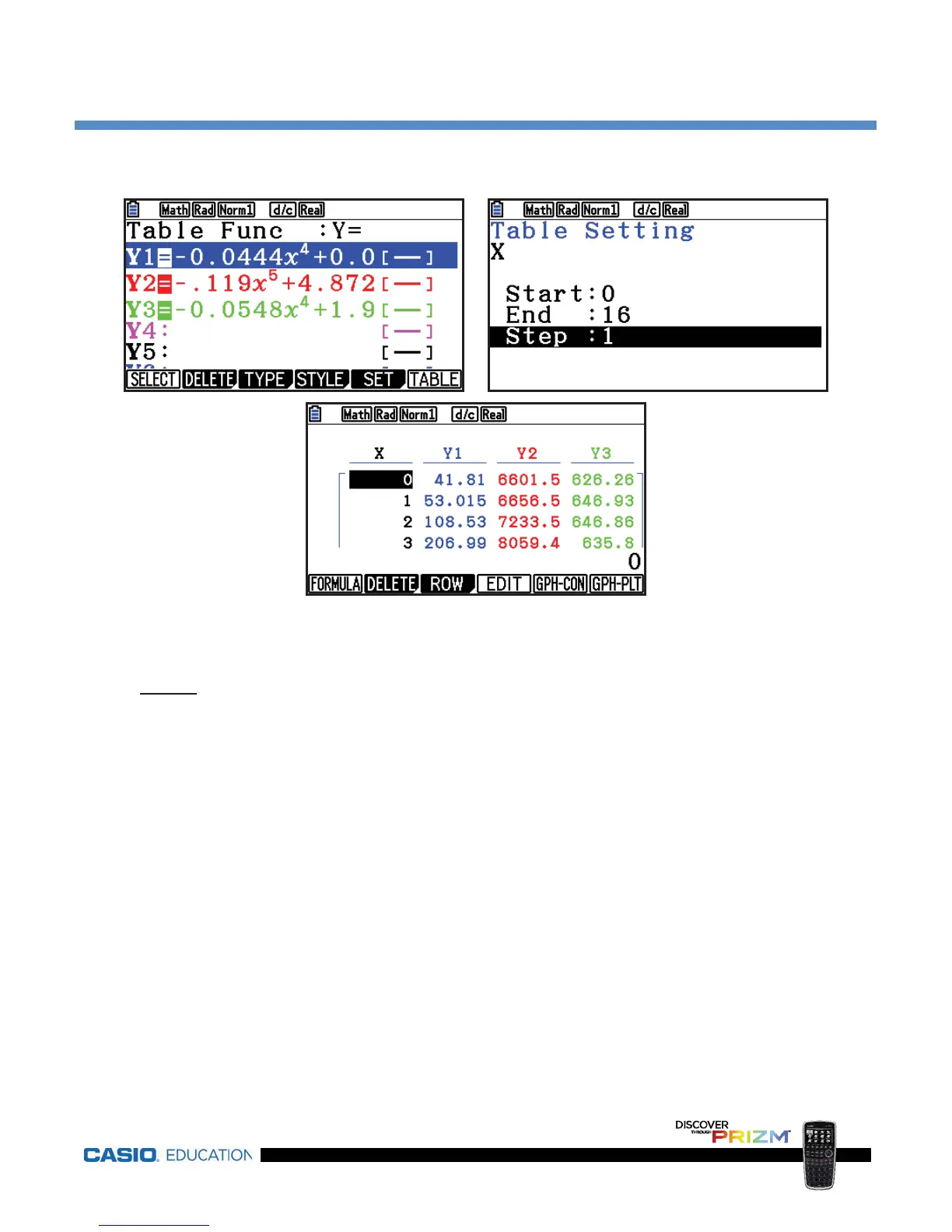
value to be 1, meaning the x-values in the table will be
increasing by 1, so press
1l.
Sample Solution—Motorcycles and Helmets (continued)
The y-intercepts are the y-values that correspond to x = 0, as shown here.
Graph
:
x Press p to return to the Main Menu, press 5 to access the Graph
mode
and u(DRAW) to draw the graph.
x
To determine the y-intercept of each function, press Ly(
and
r(Y-ICEPT).
x
One of the graphs will begin flashing. Press l to select this graph, or
arrow down to a different graph and then press
l to select that graph
instead.
x
The calculator will then identify the y-intercept of the graph selected.
x
Repeat these steps for each of the functions.















 To Next Page