English
EN-3
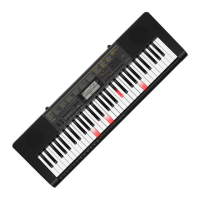
General Guide
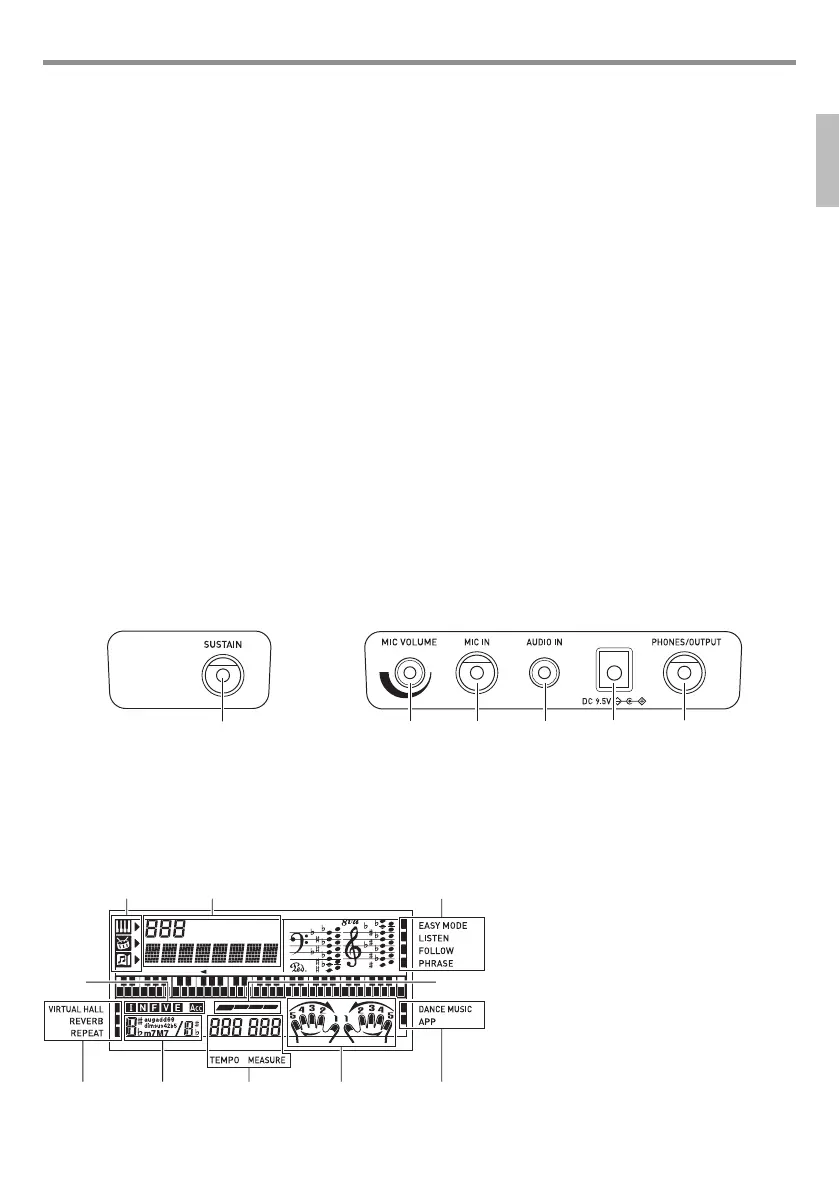
■ Back
■ Display
1 P(Power) button ☞EN-8
2 VOLUME slider ☞EN-8
3 FUNCTION, $APP (LK-265/266 only) button
☞EN-4, 20
4 <LK-265/266>
VIRTUAL HALL, $KEY LIGHT button ☞EN-8, 10
<LK-190>
KEY LIGHT button ☞EN-8
5 METRONOME, $BEAT button ☞EN-8
6 TEMPO buttons ☞EN-9, 14
7 REPEAT, INTRO button ☞EN-14, 17, 19
8 sREW, NORMAL, FILL-IN button ☞EN-14, 19
9 dFF, VAR., FILL-IN button ☞EN-13, 19
bk kPAUSE, SYNCHRO/ENDING button ☞EN-13, 19
bl PLAY/STOP, START/STOP button
☞EN-13, 14, 17, 21
bm PART SELECT, ACCOMP, $CHORDS button
☞EN-14, 18
bn $ONE TOUCH PRESET, RHYTHM button
☞EN-17, 19
bo TONE button ☞EN-9, 14
bp SONG BANK button ☞EN-13, 21
bq Number buttons, [–]
/
[+] keys ☞EN-4
br DANCE MUSIC button ☞EN-12
bs EASY MODE button ☞EN-15
bt LISTEN button ☞EN-16
ck FOLLOW button ☞EN-16
cl sBACK button ☞EN-16
cm dNEXT button ☞EN-16
cn Speakers
co Song Bank list
cp Display
cq Rhythm list
cr Tone list
cs Dance Music Track list
ct Dance Music tone
dk SUSTAIN jack ☞EN-10
dl MIC VOLUME controller ☞EN-23
dm MIC IN jack ☞EN-23
dn AUDIO IN (LK-265/266 only) jack ☞EN-20, 22
do DC 9.5V terminal ☞EN-7
dp PHONES/OUTPUT jack ☞EN-8, 22
1
3
23
67 8 3
45
Tone, rhythm, song bank indicators
Number, setting name/status display
Indicators
I N F V E (Auto Accompaniment Types)
indicators*, Acc (Auto Accompaniment)
indicator
Beat display
Chord name
Tempo, measure
Part, fingering display
* I:Intro, N:Normal, F:Fill-in, V:Variation,
E:Ending
LK265_190-ES-1A.indd 5 2016/07/15 10:12:32


 To Next Page