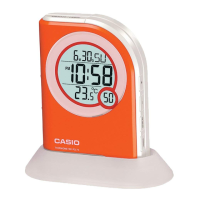
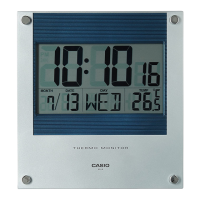
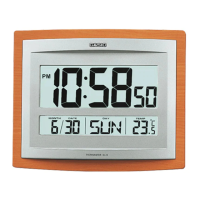
The Casio MA-1 is a digital alarm clock with a pre-programmed melody function. This user guide provides instructions for setting the time, alarm, and utilizing various features, along with maintenance guidelines and technical specifications.
Function Description:
The device primarily functions as a digital clock with an alarm. It displays the time in a 12-hour format, including hour, minute, and second, along with AM/PM indication. A dedicated hourly time signal can be activated, which will sound every hour on the hour.
The alarm function offers three distinct modes:
- No alarm sound: Deactivates the alarm.
- Melody alarm: Plays "SYMPHONIE Nr. 40 g moll" (W.A. Mozart, K. 550) for approximately 30 seconds.
- Buzzer alarm: Sounds a buzzer for 60 seconds.
- Snooze function: This mode combines the melody and buzzer. The melody plays for about 30 seconds, followed by the buzzer sounding seven times for 60 seconds at 4-minute intervals. If the melody or buzzer is stopped during its sound, the melody will play again approximately 7 minutes later, and the snooze function will repeat.
A pre-programmed melody function allows the user to play "SYMPHONIE Nr. 40 g moll" on demand.
Important Technical Specifications:
- Clock Accuracy: ±3 seconds per day (within a temperature range of 15°C - 35°C or 59°F - 95°F).
- Read-out: 12-hour system digital display of hour, minute, second, and AM/PM.
- Adjustment: Error within ±30 seconds can be readjusted to zero with one touch.
- Hourly Time Signal: Given every hour on the hour when activated.
- Alarm Time Range: Hour, minute, and AM/PM.
- Alarm Sound Functions: Melody (approx. 30 seconds), buzzer (60 seconds), or snooze function.
- Musical Function: Pre-programmed melody.
- Power Source: Three AA size manganese dry batteries (UM-3).
- Battery Life: Approximately one year of continuous operation (approx. 15 months on type SUM-3) under specific conditions: hourly time signal 24 times/day, illumination 5 seconds/day, melody 30 seconds/day, buzzer 60 seconds 7 times/day.
- Power Consumption: 0.1W.
- Ambient Temperature Range: 0°C - 40°C (32°F - 104°F).
- Dimensions: 43mm (H) x 115mm (W) x 76mm (D) or 1-3/4" (H) x 4-1/2" (W) x 3" (D).
- Weight: 168g (5.9oz) including batteries.
Usage Features:
The device features several selectors and buttons for operation:
- Volume Control Switch: Adjusts the volume of the melody and buzzer.
- Selector (A):
- "((()))": Sets daily alarm time.
- "N": Normal use (recommended position).
- ")": Sets time.
- Selector (B):
- "OFF": Deactivates alarm sound.
- "4": Activates melody alarm sound.
- "(((": Activates buzzer alarm sound.
- "SNOOZE": Activates snooze alarm function.
- Button (C):
- When setting time, depresses to put the minute digit back by one minute; keeping it depressed causes digits to run rapidly.
- Shows pre-set alarm time.
- Button (D):
- When setting time, depresses to put the minute digit forward by one minute; keeping it depressed causes digits to run rapidly.
- Makes the pre-programmed tune sound.
- Button (E): Sets time and adjusts time in seconds.
- Light/Alarm Stop Button: Used for night viewing and stopping the melody/buzzer. Also activates/deactivates the hourly time signal.
Setting Regular Time:
- Set selector (A) to ")".
- Press (C) or (D) to set hours and minutes, checking for AM or PM.
- Press (E) on a time signal with a pointed object; seconds will cut off, and the clock will start from zero.
- Set (A) to "N".
Readjusting Time Error:
Gains or losses within 30 seconds can be adjusted to zero with one touch.
- Set selector (A) to "N".
- Press (E) on a time signal.
Hourly Time Signal:
The hourly time signal can be alternately set and deactivated by pressing the alarm stop button with selector (A) at "')". When set, the " " indicator will appear on the display, and the time signal will sound every hour.
Setting Alarm Time:
- Set selector (A) to "((()))".
- Press (C) or (D) to set the alarm time (hour, minute, and AM/PM).
- Set (A) to "N".
- Set selector (B) to the desired position (OFF, Melody, Buzzer, or Snooze).
Once the alarm is set, it will sound daily at the preset time until cleared. To stop the melody or buzzer, press the alarm stop button. To release the snooze function, move selector (B) to "OFF" and confirm that "SNZ" and " " indicators are not blinking on the display. If they are blinking, move selector (B) back to "SNOOZE" and then re-switch to "OFF".
Musical Function:
The pre-programmed melody "SYMPHONIE Nr. 40 g moll" can be played by pressing (D) with selector (A) at "N".
Maintenance Features:
Battery Maintenance:
When battery power decreases, the display will darken, indicating that batteries need to be replaced.
- Slide open the battery compartment lid on the back of the unit.
- Remove dead batteries and insert new batteries, observing correct polarity.
- Replace the battery compartment lid.
- Press the all reset switch on the back of the unit with a pointed object (e.g., a pencil).
- Refer to page 8 for battery specifications.
- Always replace all three batteries.
- Never leave dead batteries in the compartment.
- Remove batteries if the unit will not be used for an extended period.
- It is recommended to replace batteries every 18 months to prevent malfunctions due to battery leakage.
Care of Your Unit:
- Do not attempt to disassemble the unit as it contains precise electronic components.
- Handle the unit carefully and avoid dropping it.
- Avoid operating buttons and selectors roughly.
- Do not use the unit in extreme temperatures (below 0°C/32°F or above 40°C/104°F).
- Protect the unit from extremely dusty or humid conditions.
- Do not use volatile fluids like lacquer thinner, benzine, etc., for cleaning.

 Need help?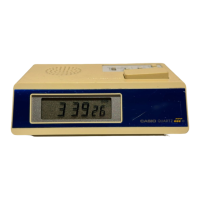

 To Next Page
 General