EasyManua.ls Logo

Casto CPS-80 - Page 12

Casto CPS-80
13 pages
Print Icon
To Next Page IconTo Next Page
To Previous Page IconTo Previous Page
Loading...
.
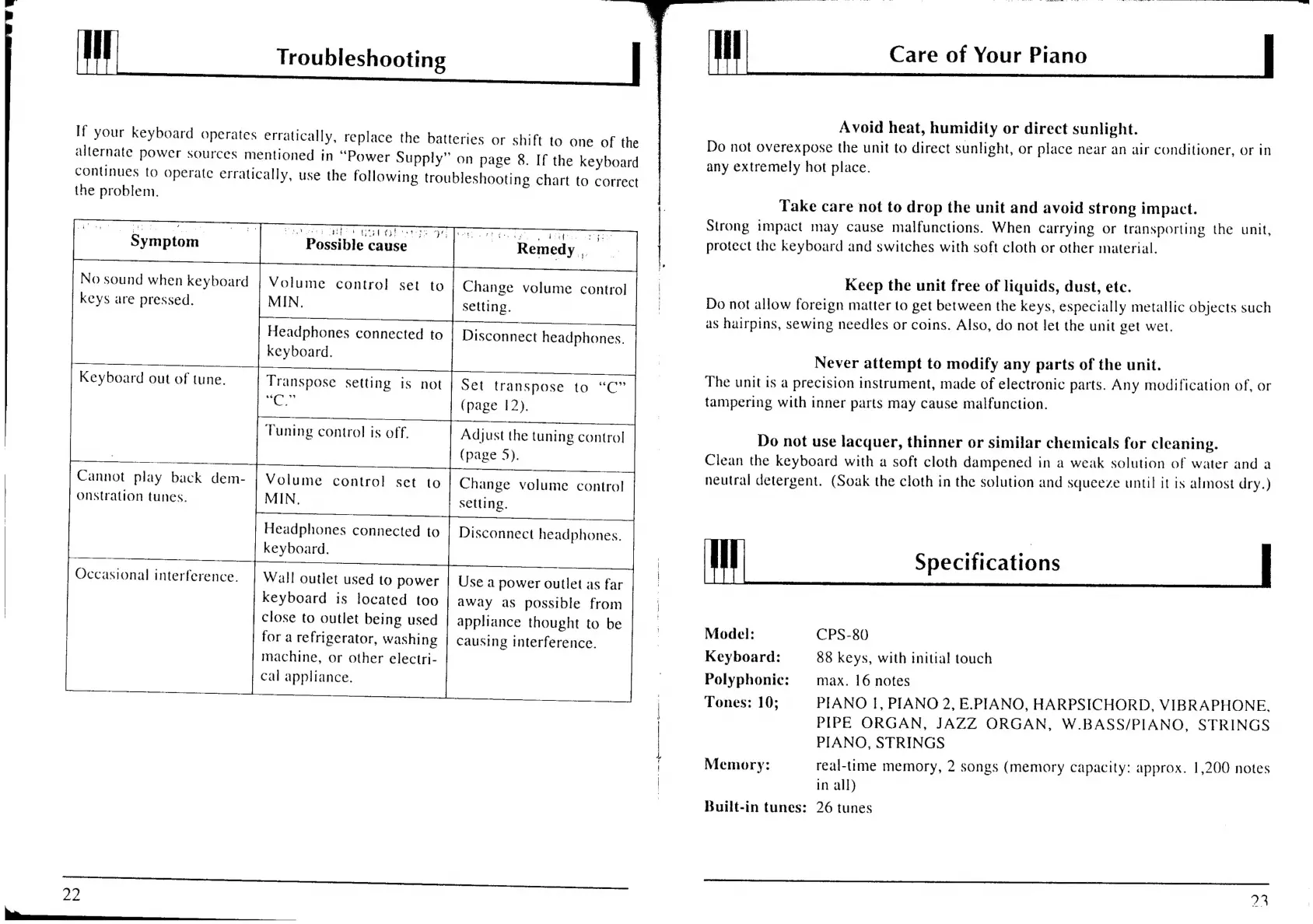
Troubleshooting
Care
of
Your
Piano
Avoid
heat,
humidity
or
direct
sunlight.
Do
not
overexpose
the
unit
to
direct
sunlight,
or
place
near
an
air
conditioner,
or
in
any
extremely
hot
place.
If
your
keyboard
operates
erratically,
replace
the
batteries
or
shift
to
one
of
the
allernate
power
sources
mentioned
in
“Power
Supply”
on
page
8.
If
the
keyboard
continues
to
operate
erratically,
use
the
following
troubleshooting
chart
to
correct
the
problem.
No
sound
when
keyboard
keys
are
pressed.
Keyboard
out
of
tune.
Cannot
play
back
dem-
onstration
tunes.
Occasional
interference.
OD
Sen
ar
er
E
Bi
Ae
ee
eed
Sgt
ide
Pp
AREY
:
po
pt
Op
Peet
Possible
cause
Volume
control!
set
to
MIN.
Headphones
connected
to
keyboard.
Transpose
setting
is
not
is,
ra
Tuning
control
is
off.
Volume
control
set
to
MIN,
Headphones
connected
to
keyboard.
Wall
outlet
used
to
power
keyboard
is
located
too
close
to
outlet
being
used
for
a
refrigerator,
washing
machine,
or
other
electri-
cal
appliance.
Change
volume
control
setting.
Disconnect
headphones.
Set
transpose
to
“C”
(page
12).
Adjust
the
tuning
control
(page
5).
Change
volume
control
setting.
Disconnect
headphones.
Use
a
power
outlet
as
far
away
as
possible
from
appliance
thought
to
be
Causing
interference.
wp
a
cai
es
a
ae
Fe
Take
care
not
to
drop
the
unit
and
avoid
strong
impact.
Strong
impact
may
cause
malfunctions.
When
carrying
or
transporting
the
unit,
protect
the
keyboard
and
switches
with
soft
cloth
or
other
material.
Keep
the
unit
free
of
liquids,
dust,
etc.
Do
not
allow
foreign
matter
to
get
between
the
keys,
especially
metallic
objects
such
as
hairpins,
sewing
needles
or
coins.
Also,
do
not
let
the
unit
get
wet.
Never
attempt
to
modify
any
parts
of
the
unit.
The
unit
is
a
precision
instrument,
made
of
electronic
parts.
Any
modification
of,
or
tampering
with
inner
parts
may
cause
malfunction.
Do
not
use
lacquer,
thinner
or
similar
chemicals
for
cleaning.
Clean
the
keyboard
with
a
soft
cloth
dampened
in
a
weak
solution
of
water
and
a
neutral
detergent.
(Soak
the
cloth
in
the
solution
and
squeeze
until
it
is
almost
dry.)
Specifications
Model:
CPS-80
Keyboard:
88
keys,
with
initial
touch
Polyphonic:
max.
16
notes
PIANO
I,
PIANO
2,
E.PIANO,
HARPSICHORD,
VIBRAPHONE,
PIPE
ORGAN,
JAZZ
ORGAN,
W.BASS/PIANO,
STRINGS
PIANO,
STRINGS
real-time
memory,
2
songs
(memory
capacity:
approx.
1,200
notes
in
all)
Tones:
10;
Memory:
Built-in
tunes:
26
tunes