CAT B15 Smartphone User Manual
4
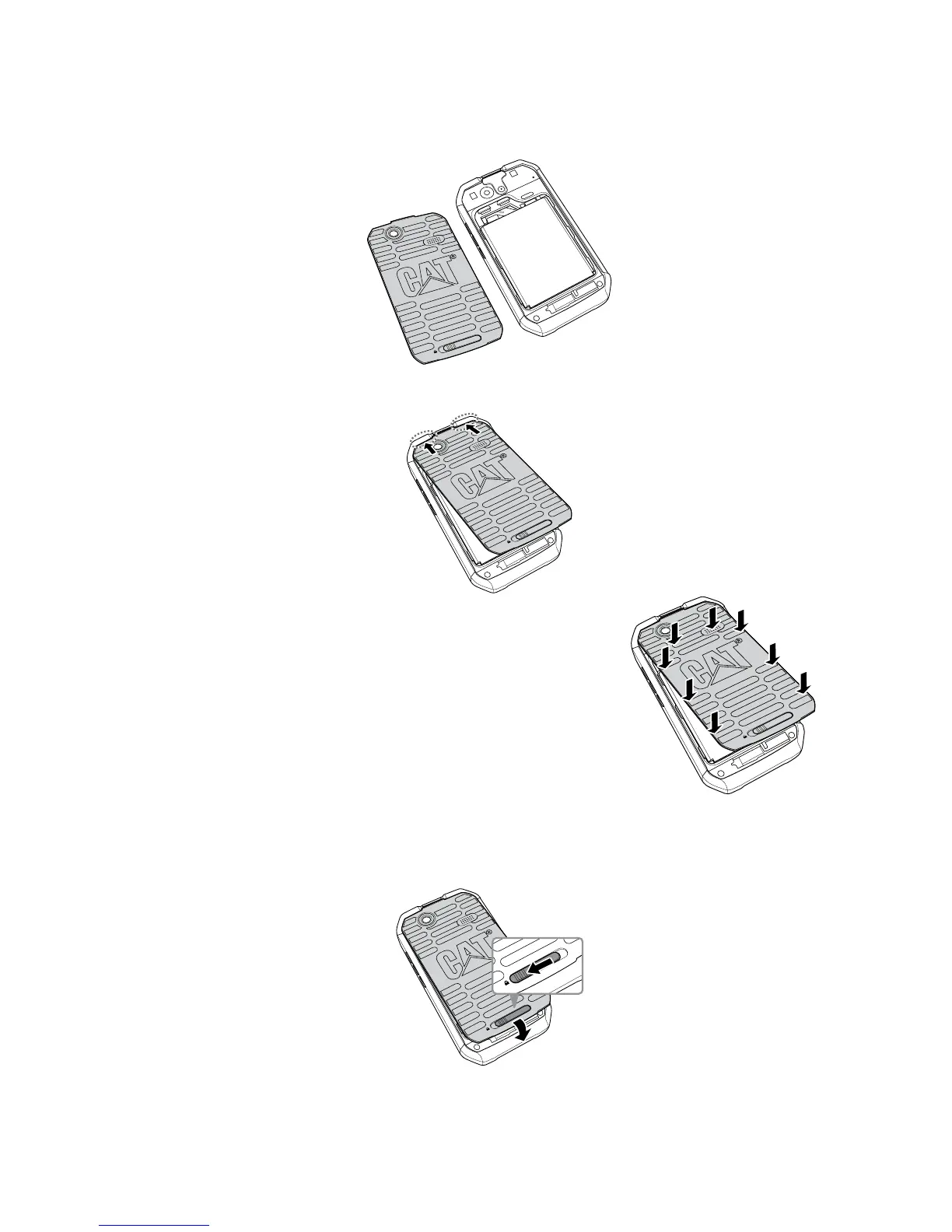
Replacing the Back Cover
1. Make sure Rear cover is the correct way round.
SD Card
S
IM
2. Engage the hooks on the top of the back cover with the designated holes on your phone.
SD Card
S
IM
Ò0USHÒTHEÒBACKÒCOVERÒµRMLYÒTOÒSECUREÒITÒINTOÒPLACE
Note:
Be careful not to bend the hooks on the battery cover.
4. Press and hold the bottom of the back cover and slide the back cover latch to the left to the
lock the back cover.
SD Card
S
IM
SD Card
SI
M



 To Next Page