CAT B15 Smartphone User Manual
2
Getting Started with Your Mobile Phone
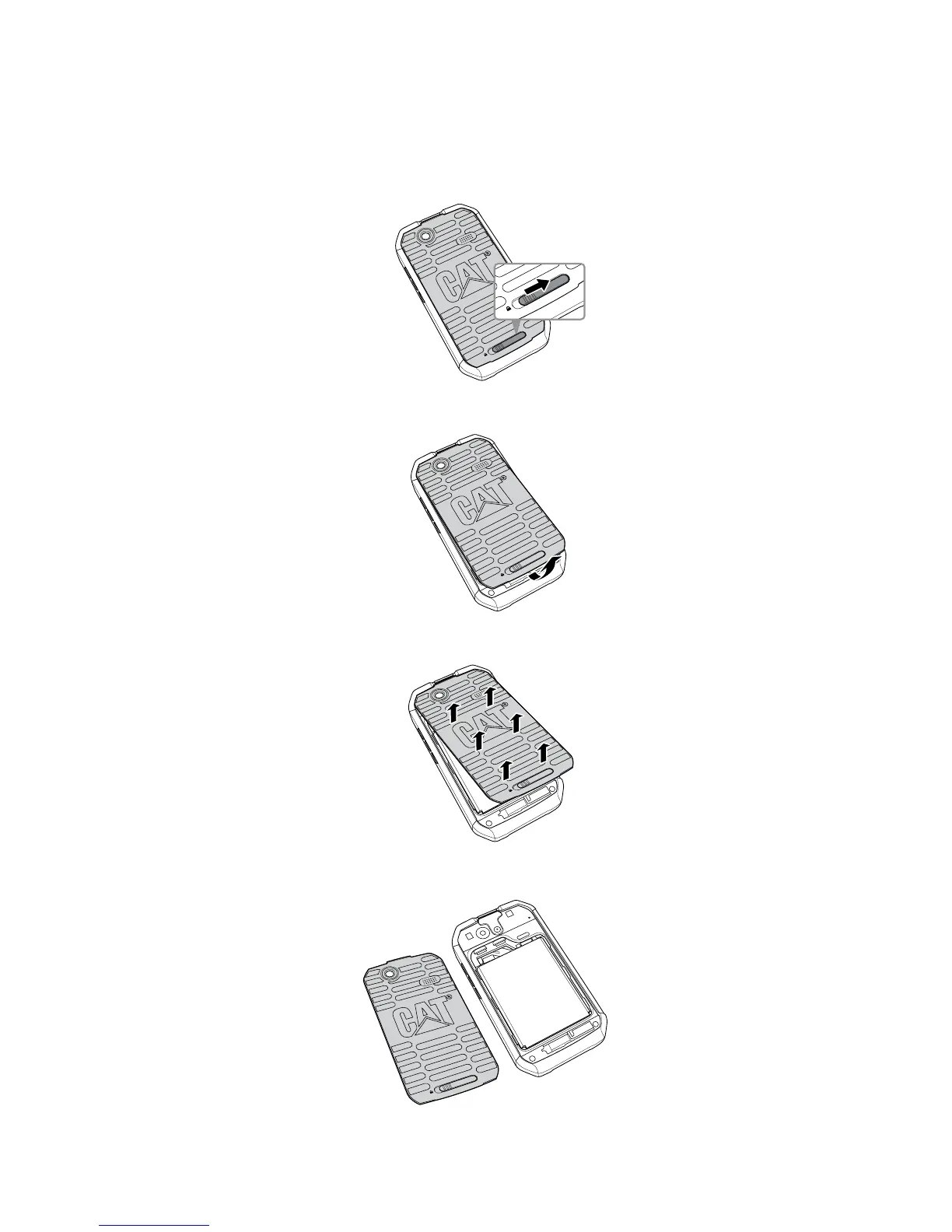
Removing the Back Cover
1. Slide the back cover latch to the unlock position.
SD Card
S
IM
Ò(OOKÒYOURÒµNGERTIPÒUNDERÒTHEÒBACKÒCOVER
SD Card
S
IM
3. Pry to open the back cover.
SD Card
S
IM
4. You now have access to battery compartment.
SD Card
S
IM



 To Next Page