2. When prompted, touch Reset phone, and then touch Erase everything. The mobile phone
resets the settings to the original factory settings, and then restarts.
Hardware Reset Of Your Device
This device has an internal battery and therefore the hardware cannot be reset by the removal
of the battery. If you should need to reset the hardware, please follow the steps listed below.
Please note that this action may be required if you do not see that your device is charging even
after being connected to the charger from your wall outlet.
1. Press and hold the Volume Up key and Power key at the same time for 10 seconds.
2. Your device should power up and display the initial logo screen.
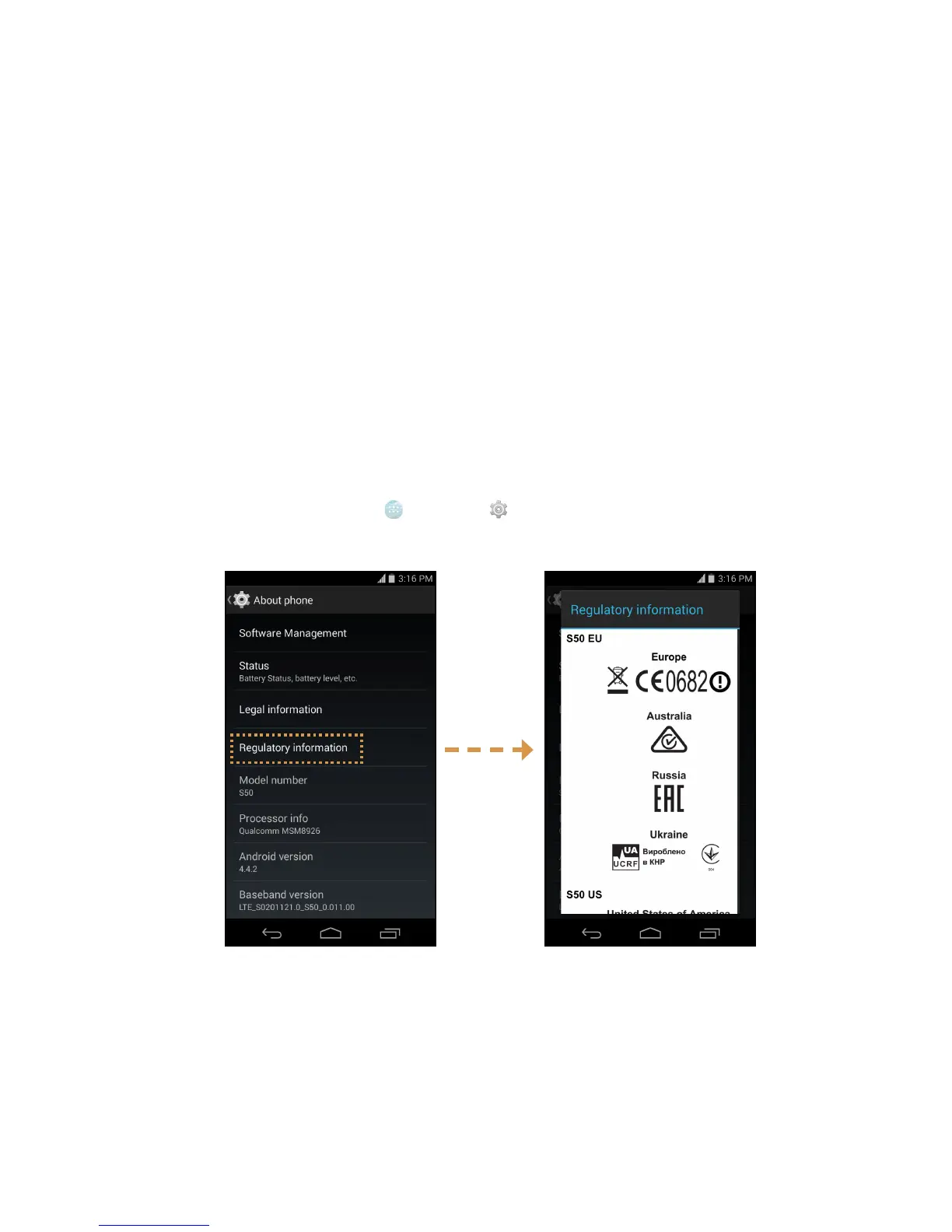
Viewing E-label
To view the regulatory information on your mobile phone, do the following:
1. From the Home screen, touch
> Settings ( ).
2. On the Settings screen, touch About phone > Regulatory information.



 To Next Page