4
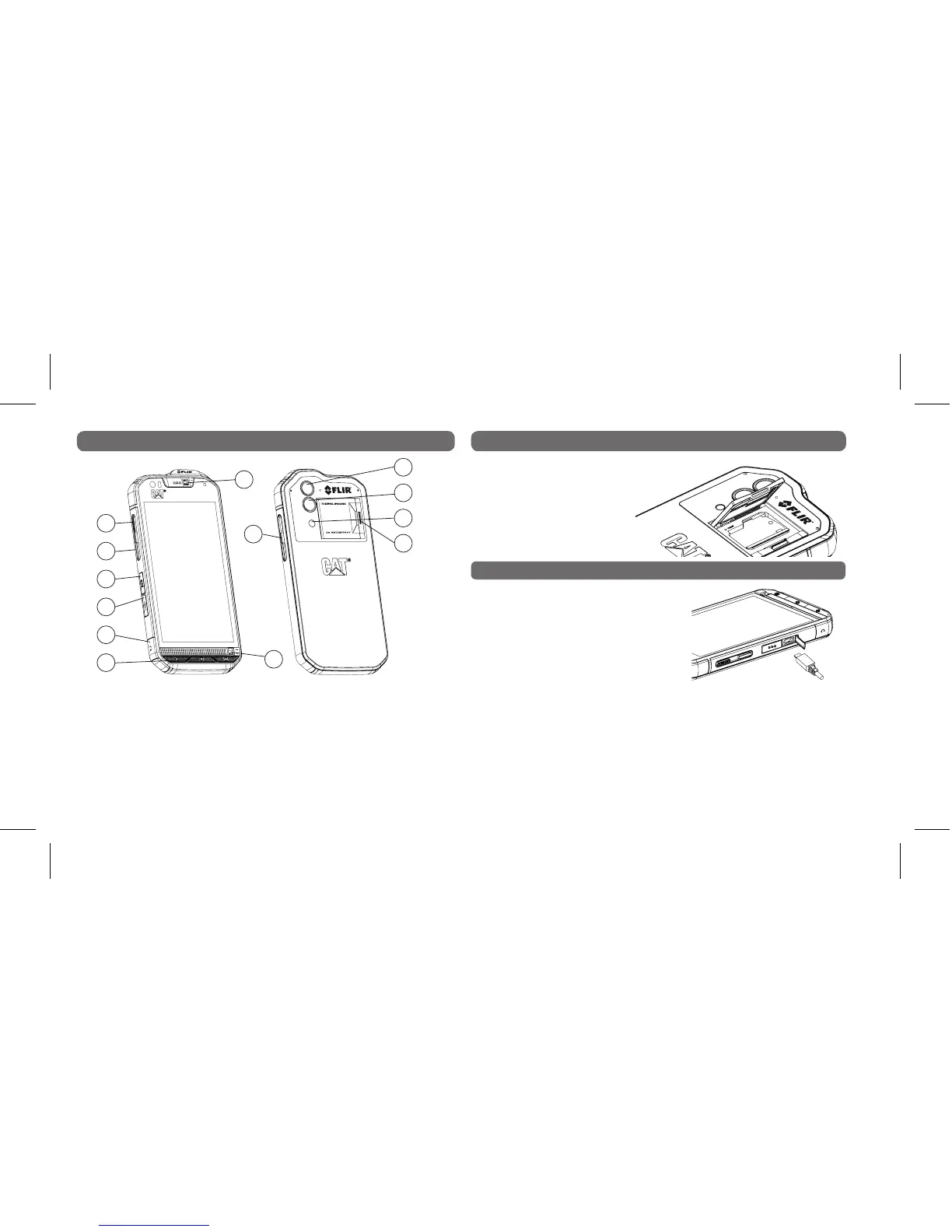
SMARTPHONE FUNCTIONS
NANO SIM AND MICRO SD CARD
Open the door latch (by
pressing the yellow bar)
Insert the nano SIM or
micro SD card as indicated
by the picture on the door.
CHARGING THE BATTERY
1. Open the USB cover and plug in the USB cable.
Note: Damage can be caused by attempting to insert the micro
USB the wrong way which is not covered by warranty.
2. Insert the other end of the cable into the wall charger and plug it
into an electrical socket.
3. When charging is complete, remove the connector from the device
and then remove the wall charger.
Note: Use only Cat
®
approved chargers
and cables. Unapproved equipment may
cause damage to the device or cause
batteries to explode. Allow an exhausted
battery to charge for a few minutes
before switching on the device.
1
8
5
11
2
9
6
12
4
3
10
7
13
1. Power key
2. Programmable key
3. SOS button
4. USB port
5. Headset jack
6. Menu keys
7. 5m water switch (lower)
8. Volume up/down keys
9. 5m water switch (upper)
10. Thermal camera
11. 13MP camera
12. Flash
13. SIM/SD door latch



 To Next Page