VECTOR USER GUIDE 11
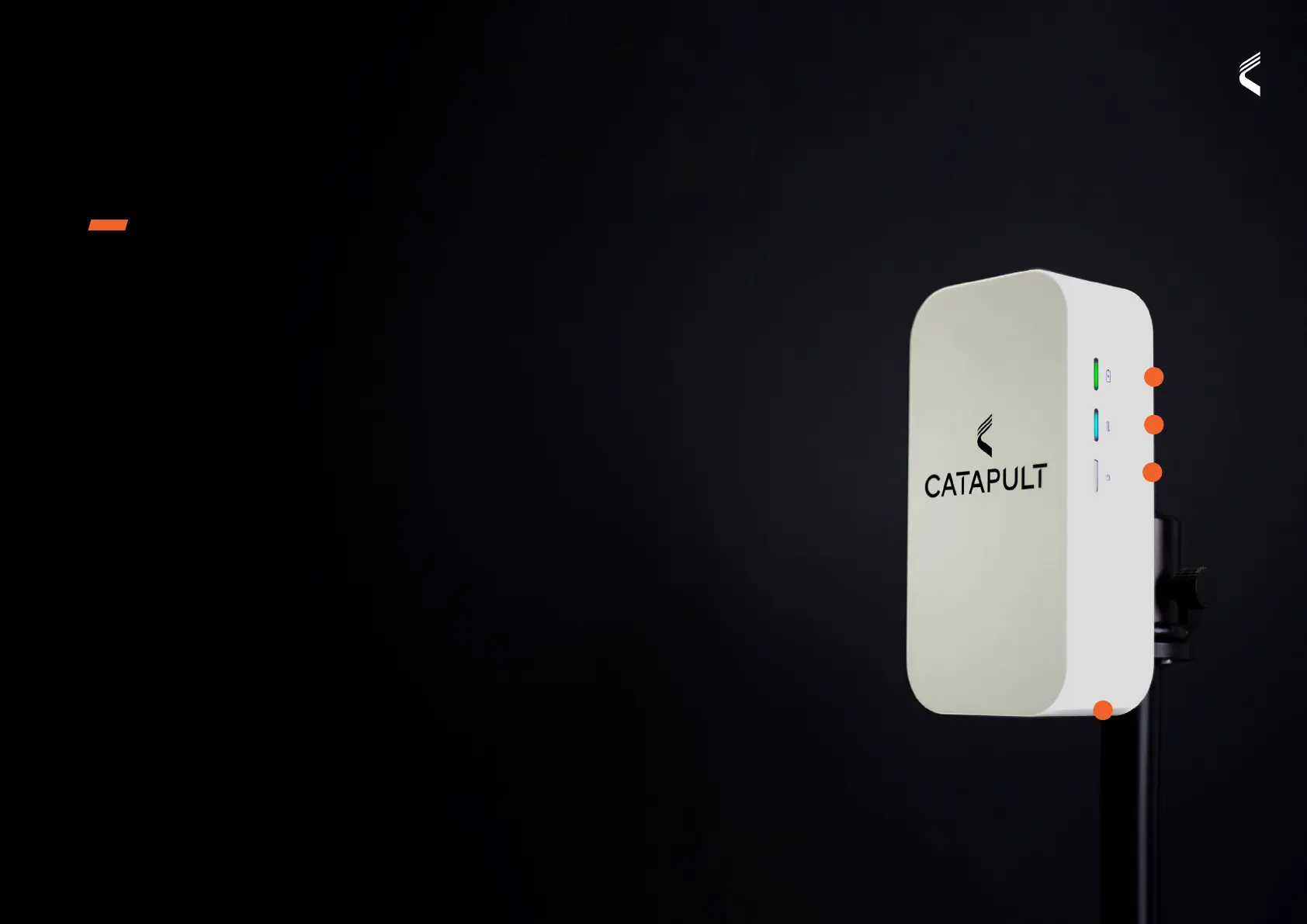
VECTOR RECEIVER
VECTOR
CONNECTING TO THE VECTOR RECEIVER
Wired Connection
• Connect USB C cable into Vector Receiver port
and connect to the PC
• Power on Receiver and wait for startup
• You are now ready to start your OpenField
live session
Wireless Connection
• Power on Vector Receiver and wait for network
Indicator to show solid blue
• Find the Vector Receiver device ID in your
WiFi network list
• Connect and enter the network key (located on
the rear of the Receiver)
• You are now ready to start your OpenField
session, or connect Vector iPad App
• For more information on tracking a live session,
see Vector Live section
SINGLE RECEIVER SETUP
• Vector Receiver should be mounted on the tripod
at maximum height
• Vector Receiver should be positioned on the side
of the ield, facing the athletes
• Vector Receiver requires direct line of sight to
the device to collect instantaneous athlete data,
data not immediately received will be updated
when athlete is back in range
• If using a wireless (WiFi) connection, set up the
receiver no more than 60m from the OpenField
computer or mobile application to maximise
data quality
• Wireless range may vary based on computer,
local networks and interference
1. BATTERY
2. NETWORK
3. POWER
4. USBC PORT
1
2
3
4


 To Next Page
 Loading...