Cavitation RF SUPER
Operation:
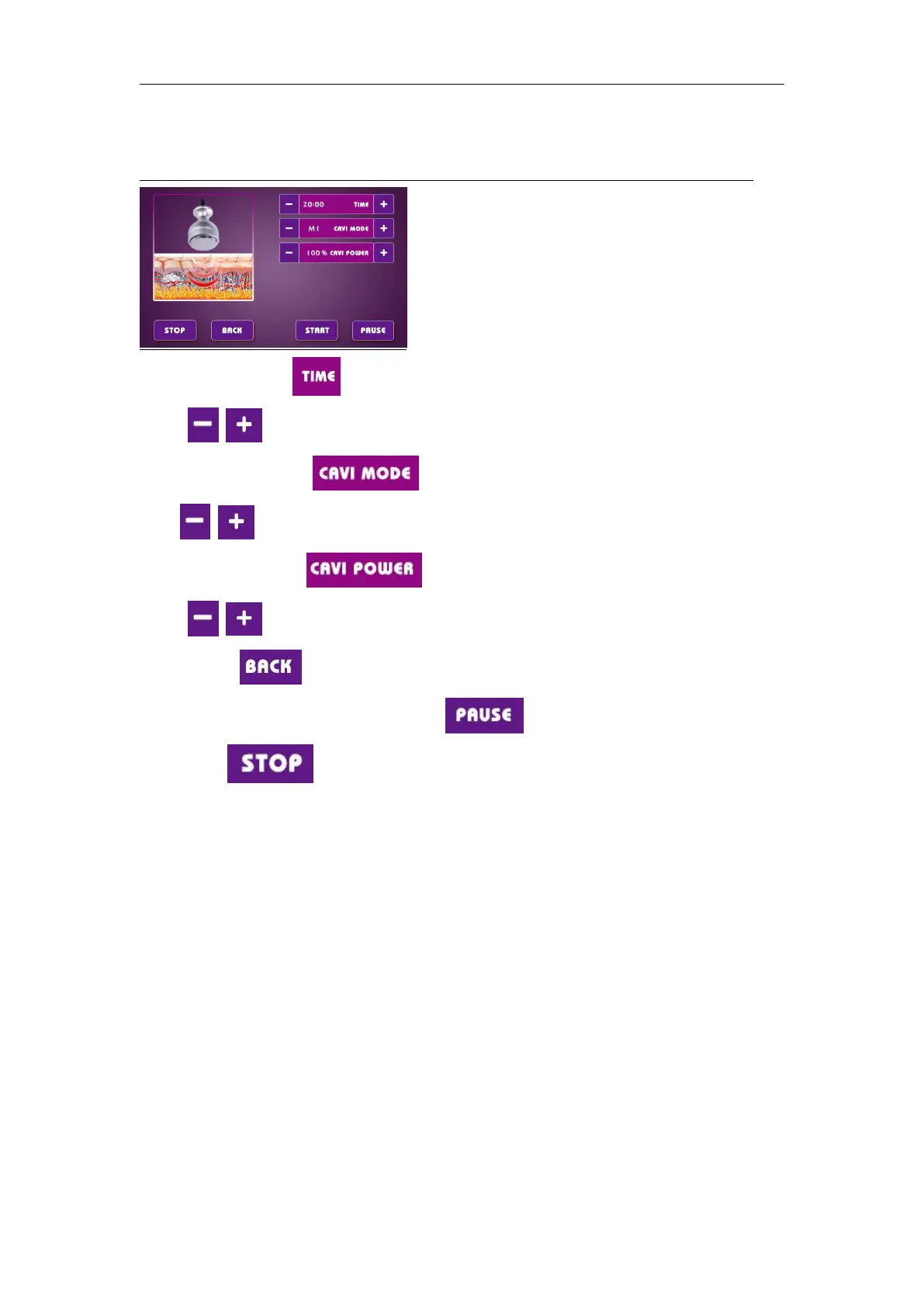
Cavitation
1.set the treatment time :
Touch to ajust the treatment time from 5 to 60 mins,(preset time:20 mins)
2.Set the cavitation mode :
Touch to ajust the cavitation mode amongAUTO,M1,M2,M3 modes.
3.set the cavitation power :
Touch to ajust the vacuum power level from 10% to 100% .
4.Back button :touch it to return to the main function interface,it would be touched after
touching the pause button .
5.Stop button :touch it to stop the treatment.


 To Next Page