CBI Astute
Instruction Manual
Page 9
3990A963 REV B
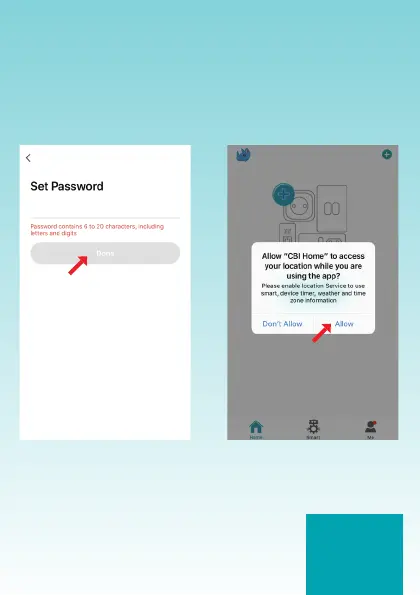
Once the verication code
has been entered, create a
personalised password and tap
“Done”.
The password must contain 6 to
20 letters and numbers, do not
use special characters.
Allow the App to use your location,
tap “Allow”.


 To Next Page
 Loading...