8
Controls
Thermostat dial
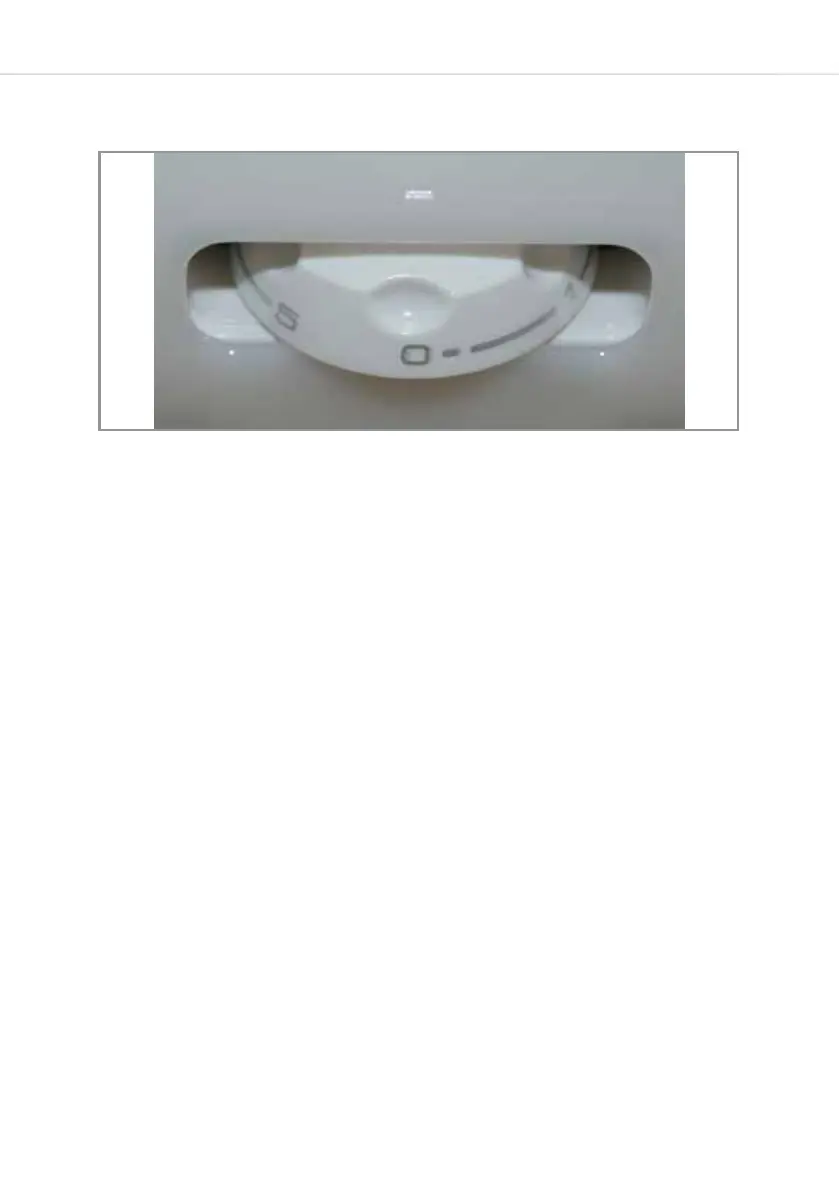
The controls for this fridge are simple and consist of a single
thermostat dial. To change the temperature, simply turn the dial left
and right to cycle through the available settings. A centrally located
embossed arrowhead indicates the setting. In the above figure, the
setting is ‘0’. The settings available range from 0 to 5 with 0 being the
‘O’ setting and ‘5’ being the coldest.
After changing the temperature setting, the time taken to achieve
the new temperature will depend on how big the change is from the
previous setting.
Switching On and O
When the fridge is connected to a power supply it will automatically
switch on unless the thermostat dial is set to ‘0’. To switch the
appliance on, turn the dial to a setting between 1 and 5. To switch
the appliance o, turn the dial to setting ‘0’. If you are turning the
appliance o for a long time, then switch o the mains power supply
also.
Fig. 2


 To Next Page