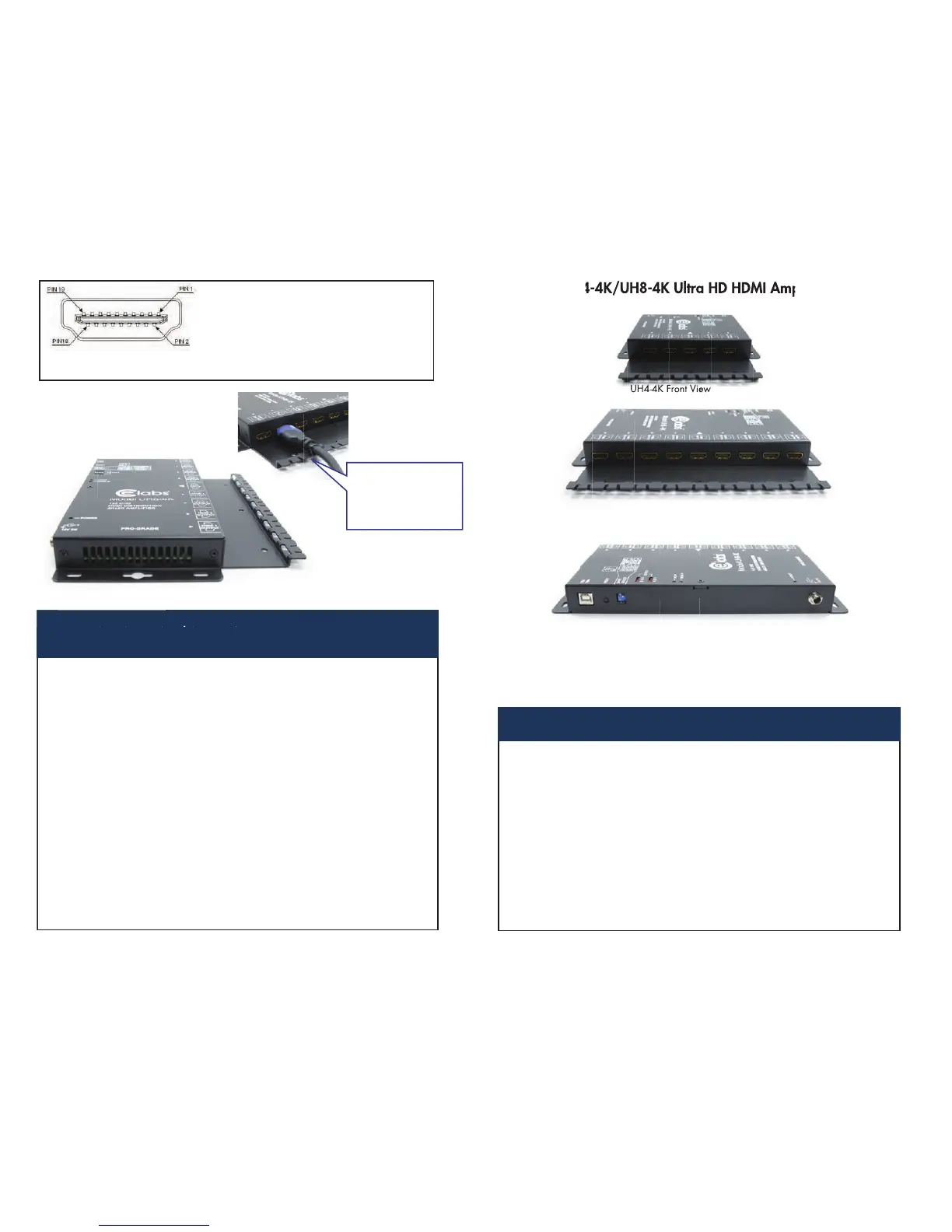
Pin # Signal Pin # Signal
1 TMDS Data 2+ 11 TMDS Clock Shield
2 TMDS Data 2 Shield 12 TMDS Clock -
3 TMDS Data 2- 13 CEC
4 TMDS Data 1+ 14 Reserved (N.C)
5 TMDS Data 1 Shield 15 SCL
6 TMDS Data 1- 16 SDA
7 TMDS Data 0+ 17 DDC/CEC Ground
8 TMDS Data 0 Shield 18 +5 Power
9 TMDS Data 0 - 19 Hot Plug Detect
10 TMDS Clock+
1. Turn off the devices to be connected together. (Source and UHDTV)
SPECIFICATIONS
INSTALLATION/OPERATION INSTRUCTIONS
2. Connect the HDMI cable (High Speed rated) between the 4Kx2K source (Media
Player, Satellite Receiver, etc.) and “HDMI Input” port of the UH4-4K/UH8-4K
3. Connect the HDMI cables from the outputs of the distribution amplier to the
inputs of the UHDTV. Connect a quality brand TV to port 1 output.
4. Power up the UH4-4K/UH8-4K and the UHDTV connected to HDMI output
number one on the amplier. Leave the other UHDTV’s off for now.
5. Turn on power to the source device. The UHDTV connected to output number one
should have picture and sound within5seconds.
6. Turn on power to the remaining UHDTV’s.
7. Install a cable tie around the HDMI cable and chassis tab, if desired, to prevent
accidental unplugging of the HDMI cables. See picture above.
NOTES: 1. All UHDTV’s connected to the UH4-4K/UH8-4K should be capable of the same resolution.
2. Always connect the rst UHDTV to output number one on the UH4-4K/UH8-4K rst.
This is necessary for the Electronic ID to be read properly by the source.
3. For optimum performance, try to use HDMI cables no longer than 5 meters in length, and
4Kx2K approved (High Speed Rated).
8-4K UH4-4KHUModel
HDMI Connector (A-Type Female)
HDMI Connector (A-Type Female)
4Kx2K @30Hz, 8-bit, 4:2:0 pixel, 1080p @60Hz,
12-bit or 720p/1080i @120Hz, 12-bit
Max Resolution
Cable Distance
Signal Type
HDMI V1.4 Compliant
DC 12V 1.25A 2.5mmPower Adapter (Min.)
MetalHousing
2.9 lbs. (1.32 Kg) 1.3 lbs (0.59 Kg)Weight
Dimensions (LxWxH) 9.5” x 7“ x 1” 6.75” x 7” x 1”
1 1
8 4
10m (Max.) 5m recommended
Color Depth 4Kx2K @30Hz, 8-bit, 4:2:0 pixel, 1080p @60Hz,12-bit
or 720p/1080i @120Hz, 12-bit, Full 3D Support
UH4-4K/UH8-4K Ultra HD HDMI Ampliers
UH4-4K Front View


 To Previous Page
 Loading...