9
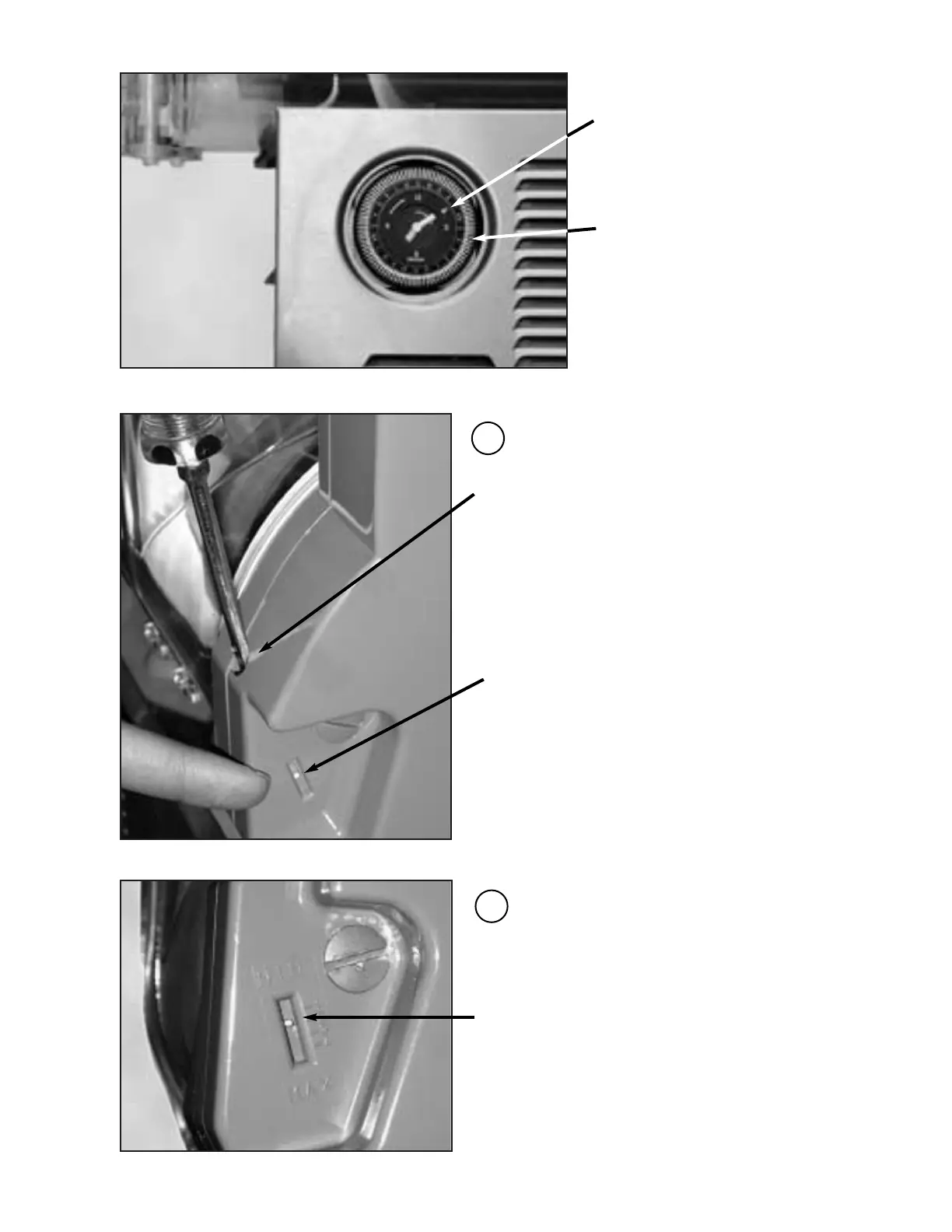
To Set 24hr. Defrost Timer:
1.Turn dial clockwise to set
time of day. Align the
current time of day with the
white arrow on the timer
face.
2. Program the defrost timer by
pushing out on the white
tabs that correspond to the
hours desired to defrost.
Each tab represents 15
minute intervals.
•Thickness Control Setting•
To change the viscosity, if necessary, use a
standard screwdriver to turn the adjustment
screw located in the rear wall of each container
as follow:
Clockwise (right) to obtain a thicker product.
Counterclockwise (left) to obtain a thinner product.
•Torque Setting Gauge•
•Torque Setting Gauge•
Setting can be changed from “Min
and Max” where a thin product is
adjusted to 1 and for a thicker
product adjust accordingly (1-4)
respectfully.
1
2


 To Next Page